Track your book
One cycle from the put to the call-away
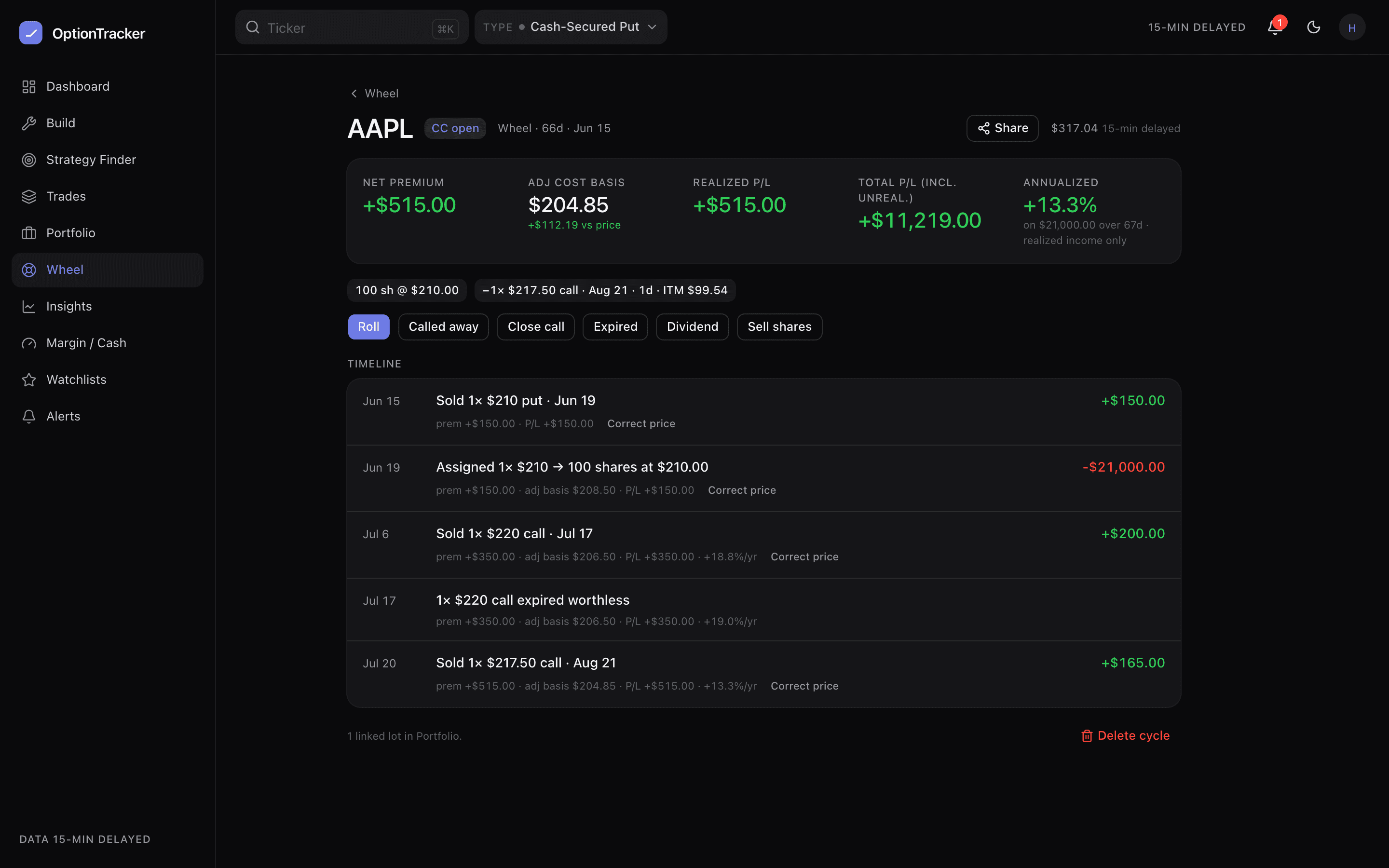
The wheel is one campaign, not a series of disconnected trades: sell a cash-secured put, get assigned, write covered calls against the shares, eventually get called away. The wheel tracker keeps that thread — cumulative premium, adjusted cost basis and annualized return carried from the first put to the last call.
Starting a cycle
- From a put: Start cycle → log the CSP (strike, expiry, premium, contracts). The cycle sits in the
cspstage with collateral out. - From shares you already own: start a covered-call cycle on an existing lot — see Covered calls.
- From trades you already have: Build from existing composes saved strategies and stock lots that are really one wheel into a single cycle — see below.
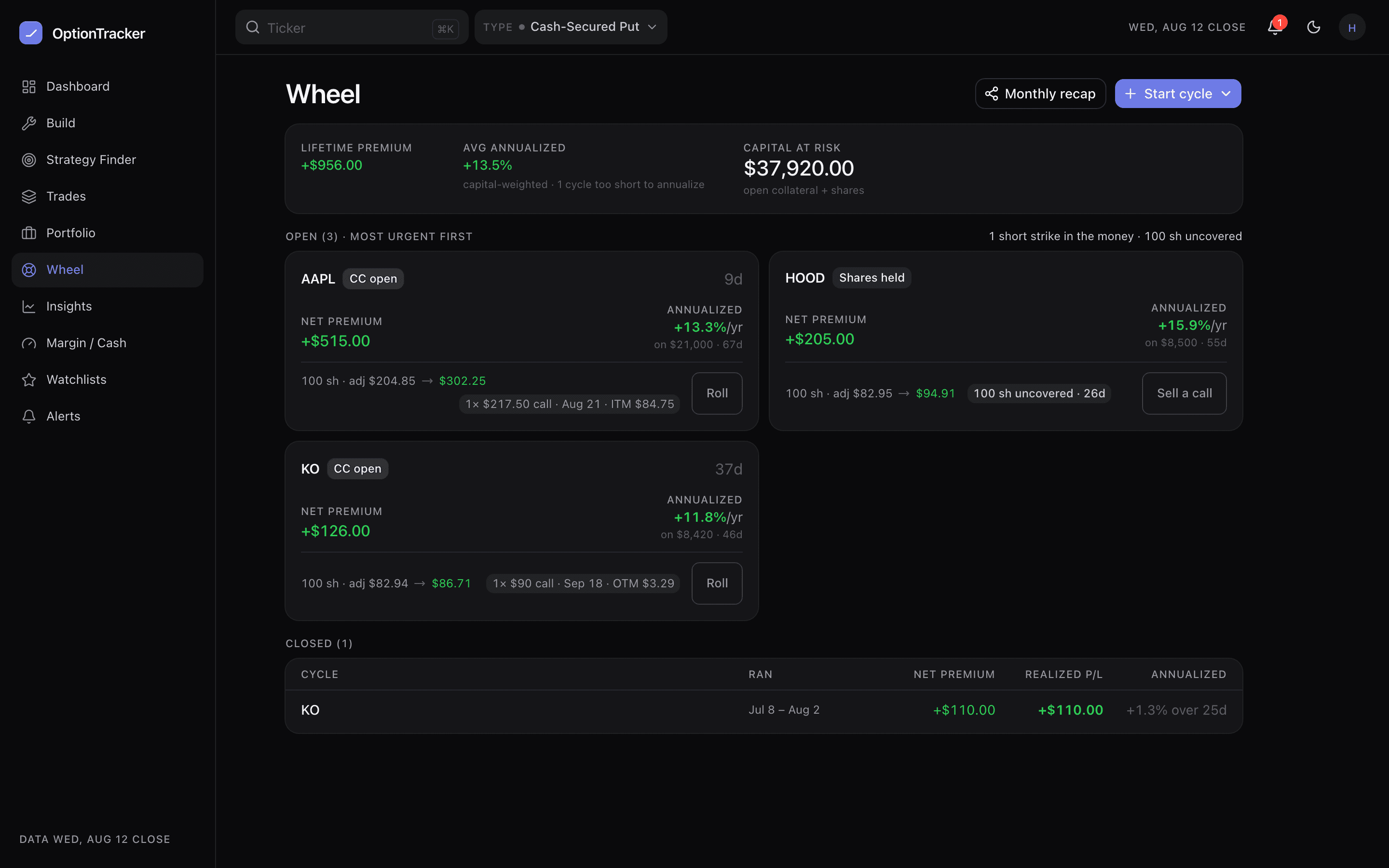
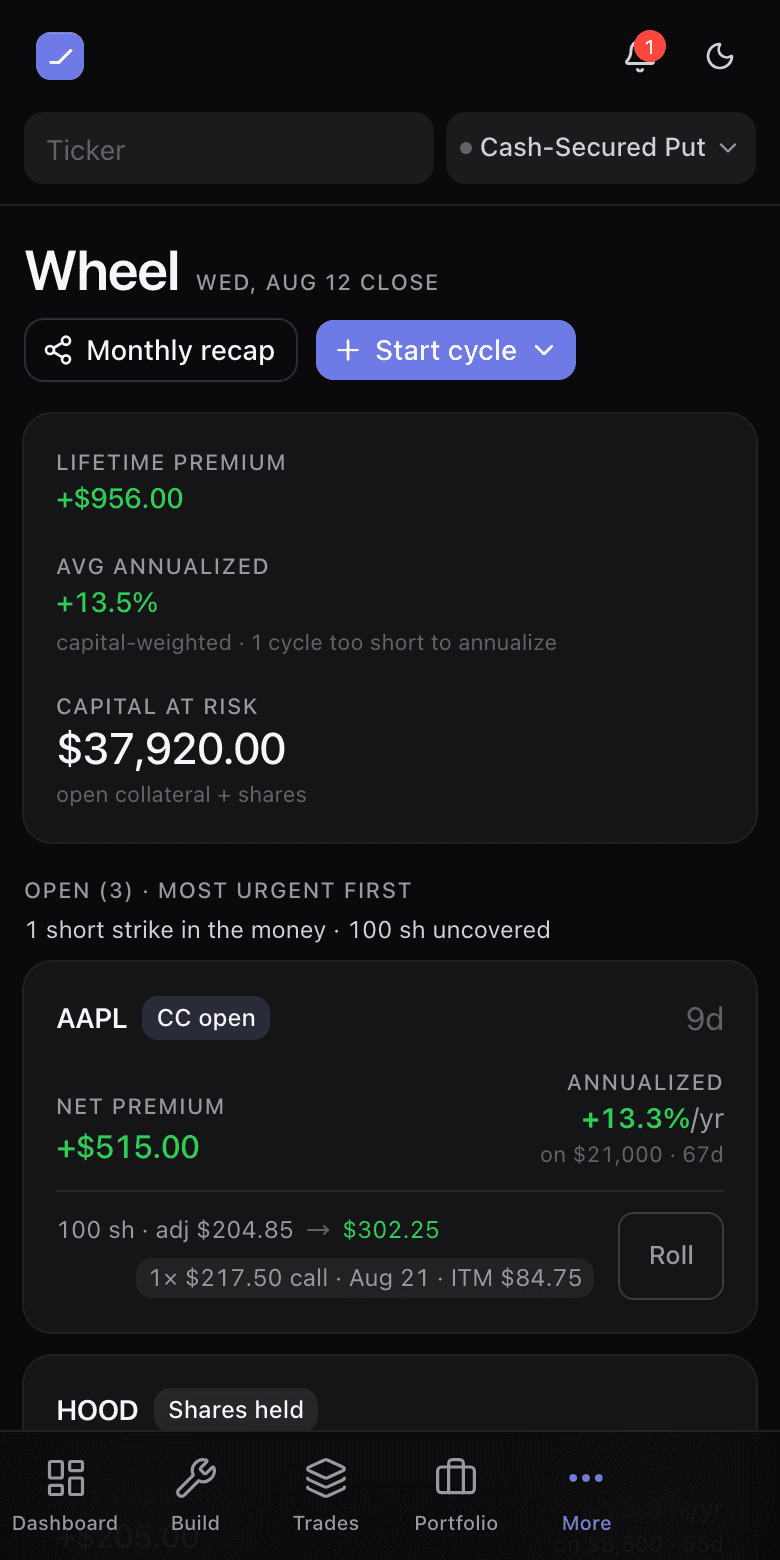
Assignment is the middle, not the end
Record an assignment and the tracker creates the stock lot for you, at the strike less the premium already collected — the number you actually care about. The cycle stays open and fully visible: “holding shares, no covered call” is an active state with an obvious next action, not an expired trade. Nothing auto-closes a cycle because an option leg expired or was assigned; a cycle closes when you close it or the shares leave.
Rolling inside a cycle
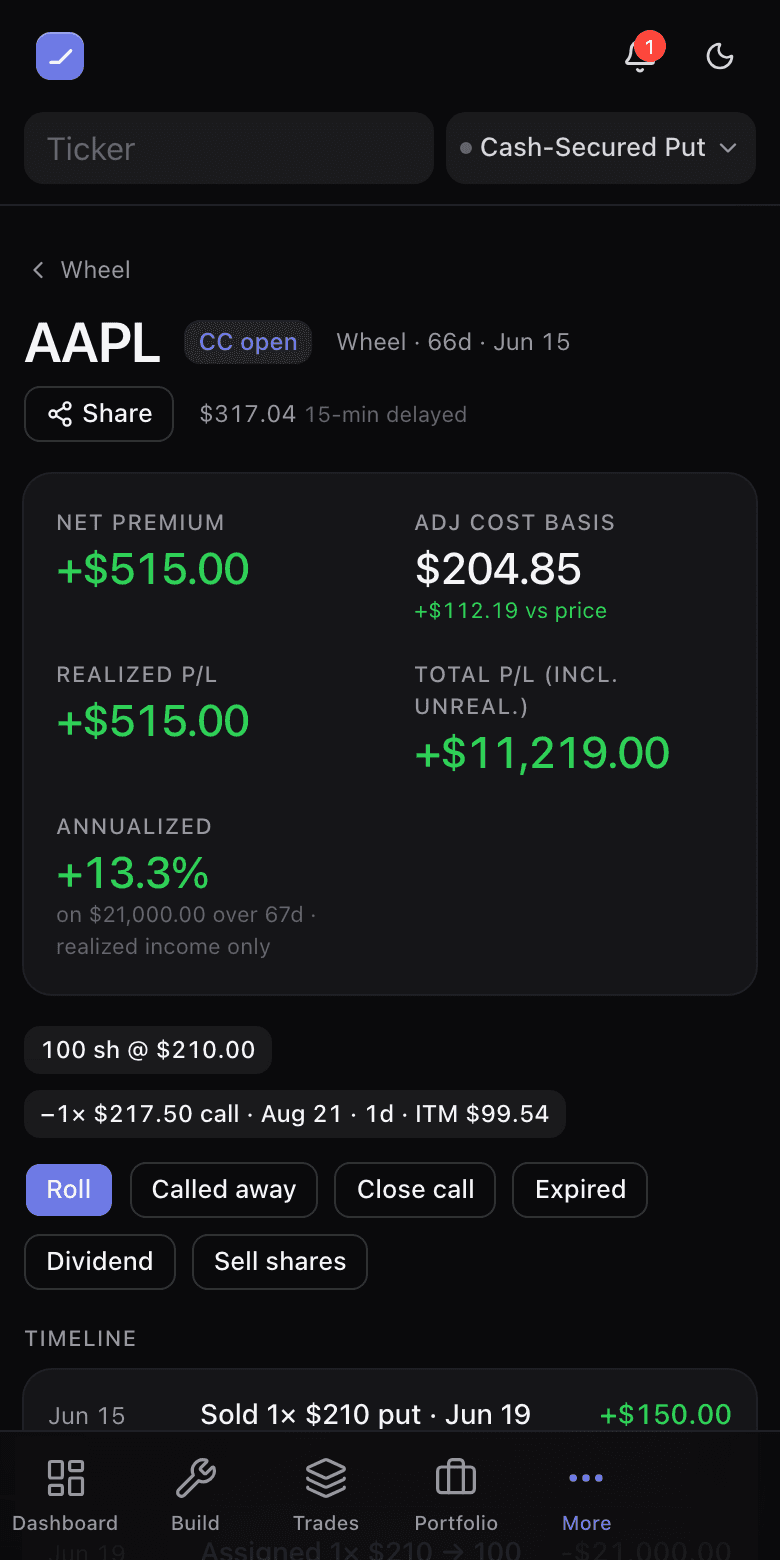
Rolling a cycle’s short leg is not an edit to a trade — it is a close and an open, and that is exactly how it is written, so cumulative premium, adjusted basis and the open leg all stay right. Open the position in Explore to see the rolls ranked: what each pays at today’s marks, how much collateral it frees or needs, and a flag on any that only pays because it moves closer to the money. Apply the one you want and confirm. Ivy will price and rank rolls for you too, and she can write the close-and-open onto the cycle once you confirm it; rewriting a saved position’s legs stays here, behind Apply.
Auto-detect: the wheel finds itself
Sell a new put on a ticker you are already wheeling — through the builder, the copilot, or an import — and it attaches to that cycle automatically. Same for a covered call written against cycle shares. The position wears a chip naming the cycle it joined, so nothing happens silently.
If the guess was wrong, the chip’s Detach action moves the auto-attached position out into its own standalone cycle — nothing is deleted, the trade really happened — and the app remembers the detach, so the same suggestion is never made again for that position. Only auto-attached events ever move; anything you logged by hand is never disturbed.
Build a wheel from existing trades
Already holding the pieces as separate rows — a closed CSP here, an assigned lot there, two covered calls from an import? Start cycle → Build from existing trades lets you select them, and the composer sorts what it can into one cycle: the right event order, the right cumulative premium, the right adjusted basis. Where the inference had to guess (a lot that might not be the assignment, an entry it cannot see), it asks before saving rather than booking a wrong basis.
Share a position or a finished cycle
Share on a cycle gives you a public link anyone can open — no account on either end. What you get depends on where the trade actually is, not on whether you have closed the cycle: while something is still working you share the story so far — the call or put working, its strike and expiry, your adjusted basis per share, what the premium is earning per month. Once the shares are gone you share how it played out: entry and exit per share, the premium banked, and the total return over the days you held it.
Anyone opening the link can copy the trade to their account, which lands them in the builder on the same structure at today’s chain — priced live, at one contract against one hundred shares. It is the strategy that travels, not your position, because the link never carried a size to copy in the first place.
The recap card
From the wheel page you can generate a monthly recap card — premium collected, cycles worked, realized results — as a shareable image. Every figure on it is folded by the engine from your logged events.