Track your book
See assignment coming, then choose the roll
Every short option you hold can be assigned. OptionTracker puts the odds on the leg itself — on the wheel card, the cycle page, your trades and the dashboard — and when you decide to roll, the Roll Lab lays out the rolls near that leg, draws the one you pick over your current payoff, and records it as a linked close and open.
Assignment risk on your open short legs
Where our data allows, each live short put or call shows its ITM odds: the chance it finishes in the money at expiry. The wheel card also shows how far it is in or out of the money in dollars. The odds come from the contract’s implied volatility with the same model the builder uses for chance of profit. On a wheel cycle’s page the Assignment risk block spells each one out in a sentence and names the implied volatility behind it.

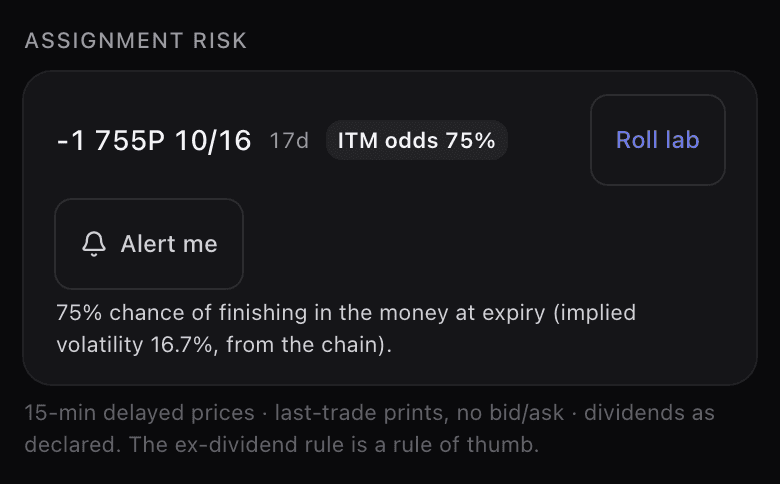
- Short calls get the ex-dividend check. If a dividend has been declared before the call expires and it is larger than the call’s time value (for an out-of-the-money call, its premium plus how far it is below the strike), early assignment the day before the ex-date is likely, and the chip says early-assignment risk. This is the standard rule of thumb, not a certainty, and the app says so.
- On the ex-date itself the chip reads Ex-dividend today. If you were not assigned that morning, the risk from this dividend has passed.
- In the last hour before the 4 p.m. ET close on expiry day, the odds give way to how far the leg is in or out of the money, and one within 1% of the strike reads Near the strike: assignment is genuinely uncertain, and moves after the close still count.
- Risk this week on the dashboard lists every short leg that expires within seven days, and every short call whose ex-dividend date in the next seven days carries early-assignment risk or could not be judged, with Roll lab and Alert me beside it. A call going ex-dividend this week is left off when its time value is above the dividend, or when the early-assignment decision for that dividend has already been made (the day before the ex-date, or on it). Its chip on the cycle page still shows the date. So an empty panel does not mean no stock of yours goes ex-dividend this week.
Alerts: opt in, per contract
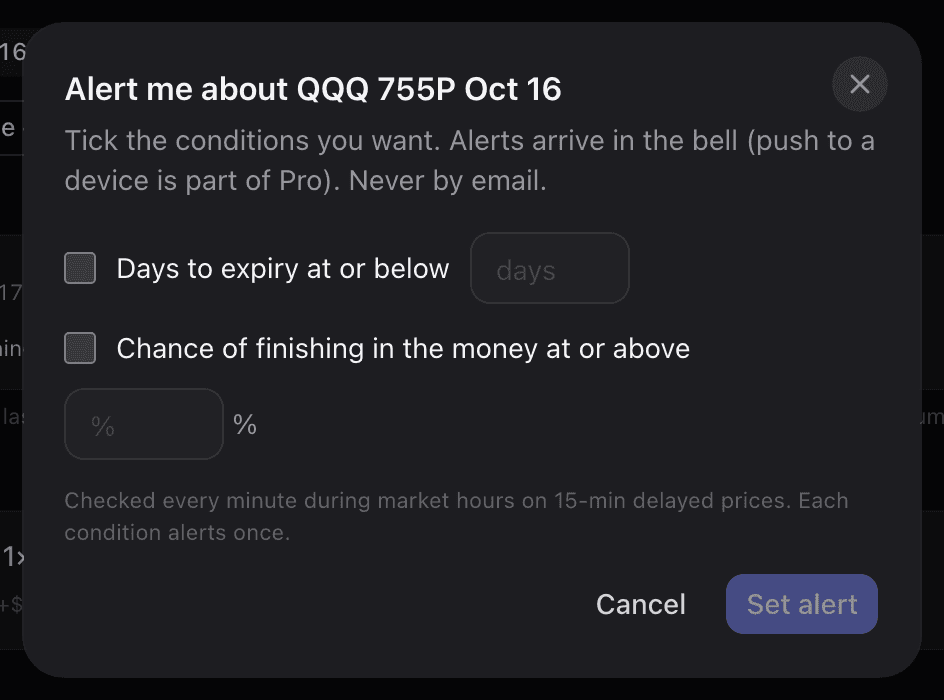
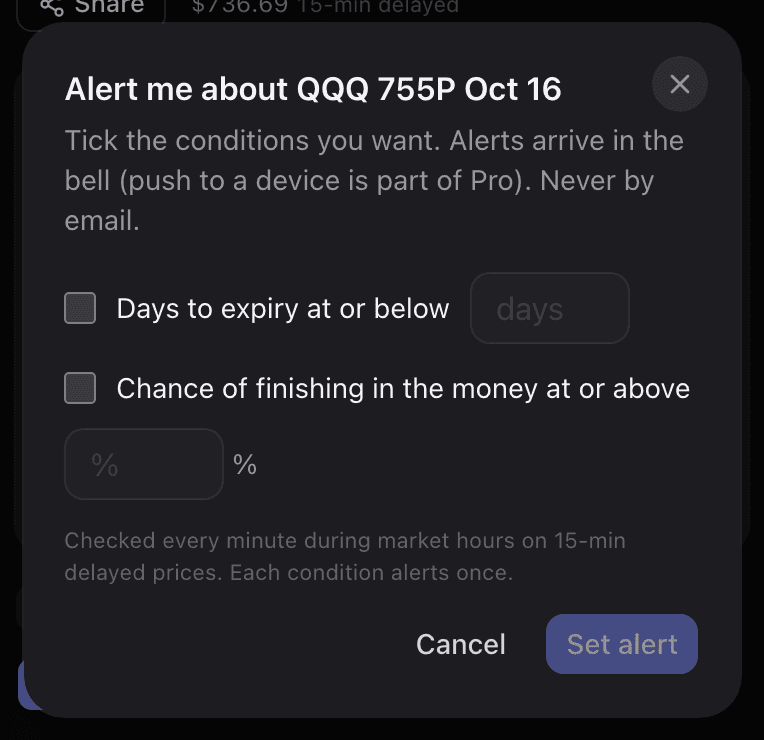
Alert me beside a short leg lets you tick the conditions you want on that one contract: days to expiry at or below a number, chance of finishing in the money at or above a percentage, and, for calls, the ex-dividend rule. Nothing is ticked until you tick it. Conditions are checked every minute the market is open, each one alerts once, and the alert ends when the contract expires or leaves the position. Alerts arrive in the bell and, on Pro, as a push on devices where you have turned push on. They are never sent by email.
The Roll Lab
Roll lab on a short leg opens the lab for that one contract. It prices the strike you hold and two either side of it, at up to four later expiries, in three shapes: same strike later, up and out, and down and out. Every row shows:
- the net credit or debit for the roll at today’s marks, after buying back the leg you hold;
- the new DTE, and the annualized yield of the new contract. Under 30 days it is not annualized, and you see the yield over those days instead;
- the breakeven counting all the premium on the cycle or position, not just this roll;
- the ITM odds now → after the roll, and for calls the ex-dividend check on the new contract;
- a liquidity flag from open interest and today’s volume: Active, Thin, or No market when there is no usable print. We cannot see the bid/ask, so the real spread is unknown.
Sort by Credit, Credit / day (per day the roll adds), Annualized or ITM odds. A roll that only pays more because it moves deeper into the money than your current leg is marked and kept below the others under every sort. A contract with no usable mark is listed but cannot be picked.
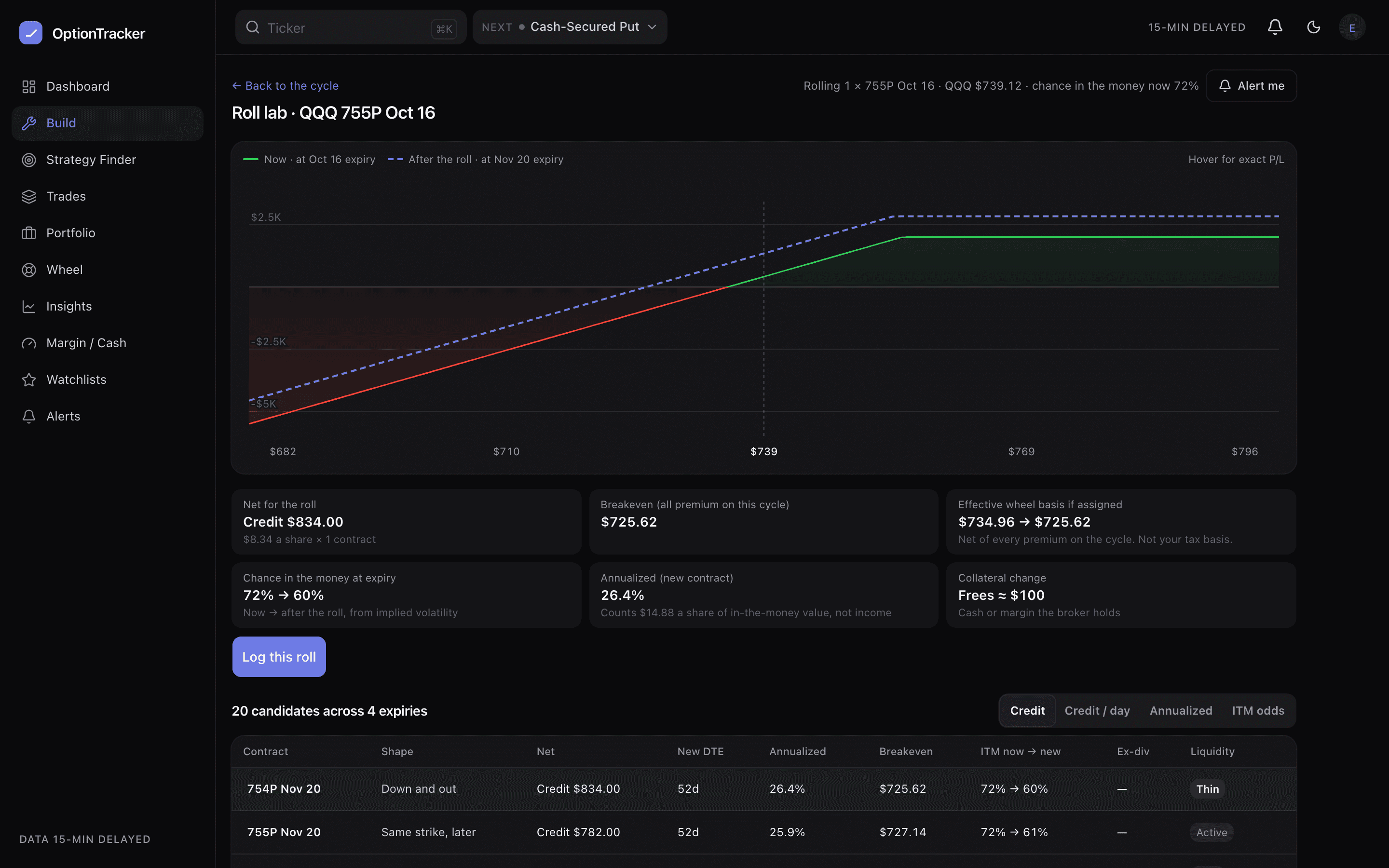
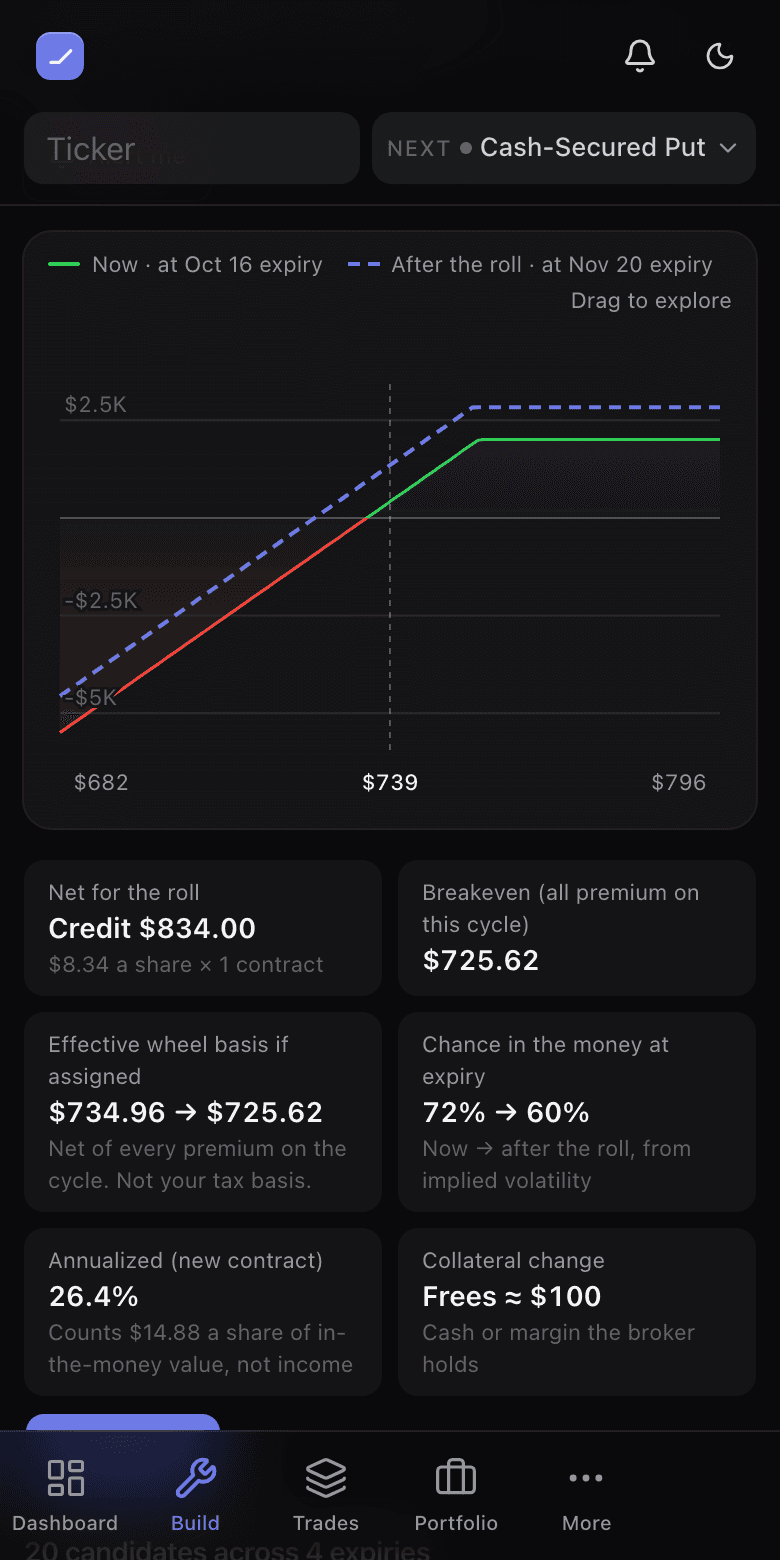
Pick a row and it is drawn dashed over the position as you hold it (solid) on the payoff chart. Beside it are tiles for the net, the new breakeven, the collateral change, and on a wheel cycle the effective wheel basis before → after. That basis is net of every premium the cycle has collected. It is not your tax basis. On a saved position that is not a wheel, Save as what-if keeps the roll beside the trade in Explore without changing anything.
Log this roll
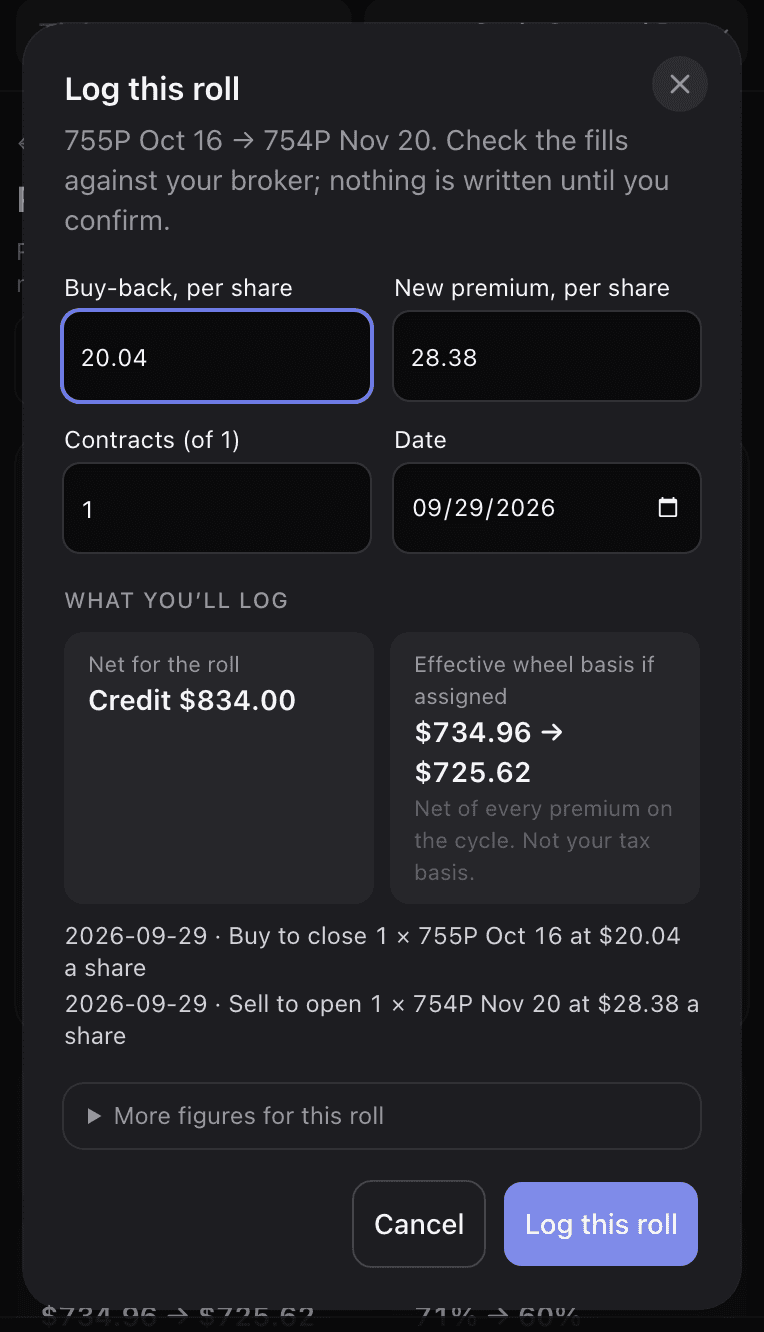
Log this roll opens a sheet filled in at today’s marks. Enter your real fills: the buy-back price, the new premium, how many contracts (a partial roll is fine) and the day. The sheet recomputes the net and the effective wheel basis from your numbers and lists exactly what it will write. Nothing is saved until you confirm.
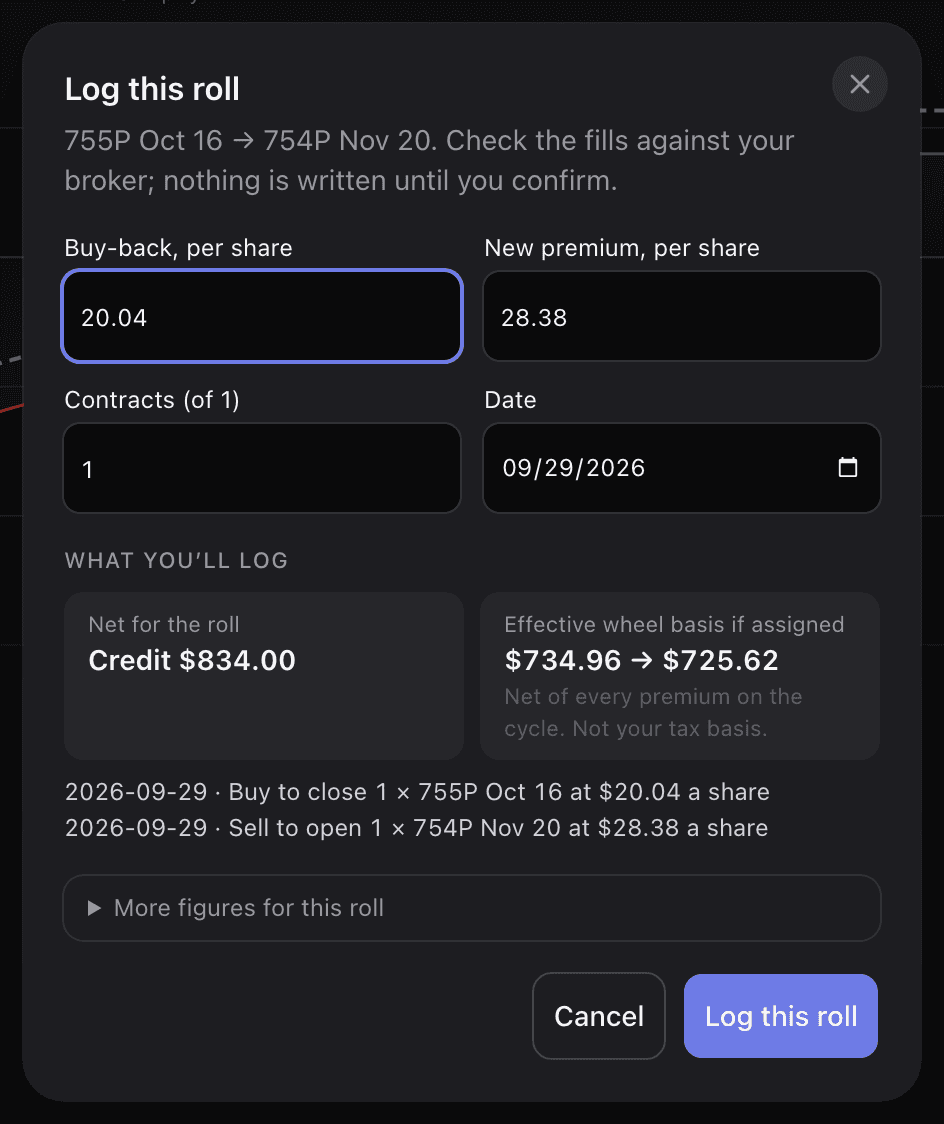
On a wheel cycle the roll is written as two linked events, the close of the old contract and the sale of the new one, so the cycle’s premium, basis and open leg stay right and a later roll can be traced back through the chain. On a saved position that is not a wheel, the old leg is closed as bought back and the new one added.
Free and Pro
The assignment-risk flags, the Risk this week panel and the alerts are free for every account. Alerts are delivered in the bell, with push to your devices on Pro. The Roll Lab is part of Pro. On a free account, Roll lab shows how many candidates it would price for that leg, with no prices, and a link to pricing. Rolling itself is not locked: the ranked candidates in Explore and recording a roll on a wheel cycle stay free.
Ivy can open the lab for you on a leg, with a candidate already picked. Logging the roll is still done by you, in the lab.