Build & analyze
Build and price a trade on the strike ladder
The builder is where a trade takes shape: pick a strategy template and a ticker, and the legs come off the live option chain. Everything downstream — payoff, Greeks, breakevens, chance of profit — is computed by our own engine from that chain, and it all recomputes live as you move a strike. No account needed.
Start from a template
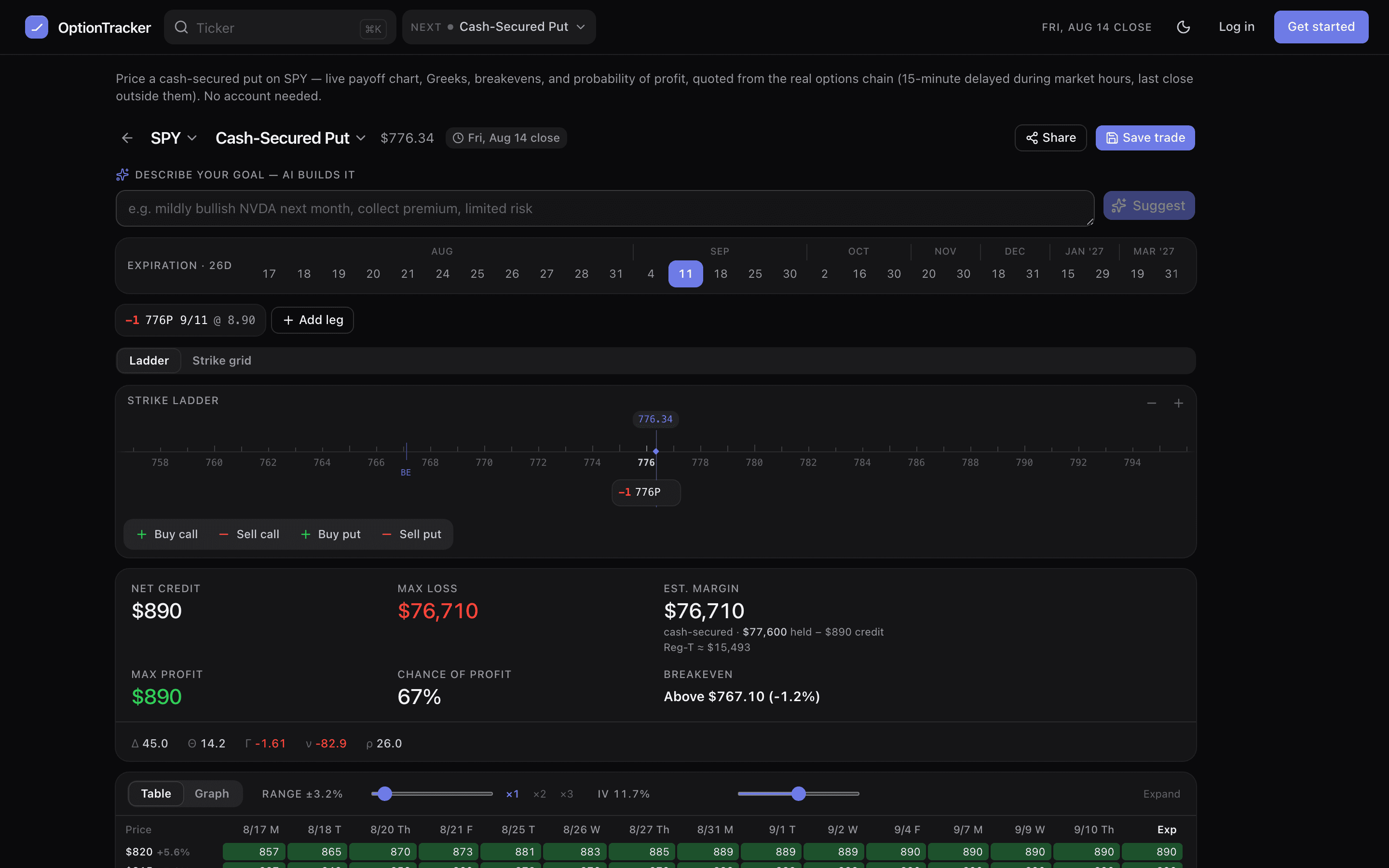
Open the builder and pick from 58 templates — long calls and cash-secured puts through condors, calendars, ratio spreads and synthetics. The control beside the ticker search is your default trade type: it is sticky, so typing a ticker and pressing Enter anywhere in the app drops you straight into that builder with real legs loaded.
Or describe the goal and let AI build it
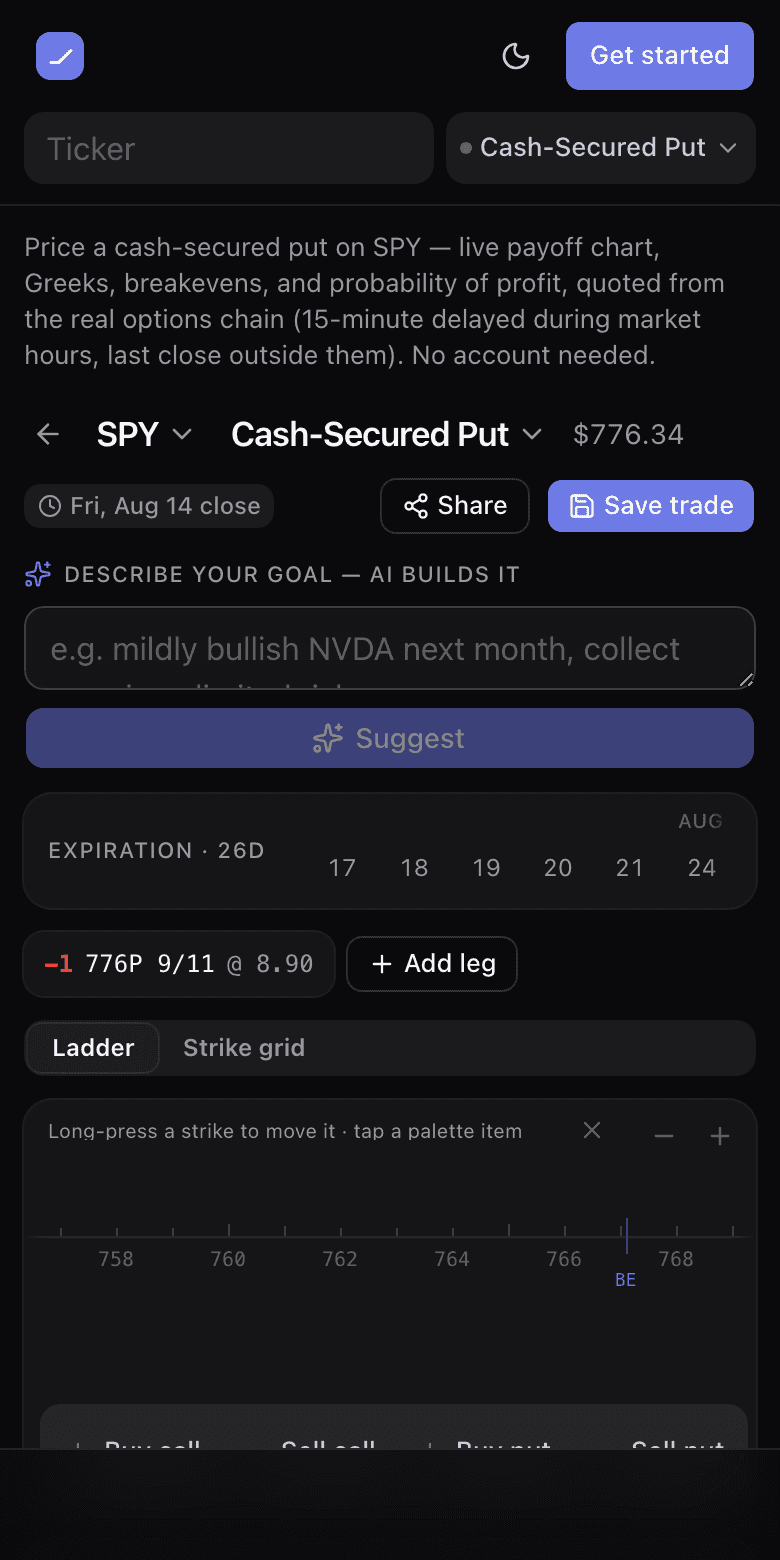
Above the ladder sits Describe your goal — AI builds it: type something like “mildly bullish NVDA next month, collect premium, limited risk” and the whole structure lands on the canvas — template, ticker, a sensible expiry and legs priced from the live chain, with one line of reasoning for why that shape. It is a starting point, not a verdict: everything it places is an ordinary leg you can drag, re-strike or delete, and Cmd+Z removes the whole suggestion in one step.
The strike ladder
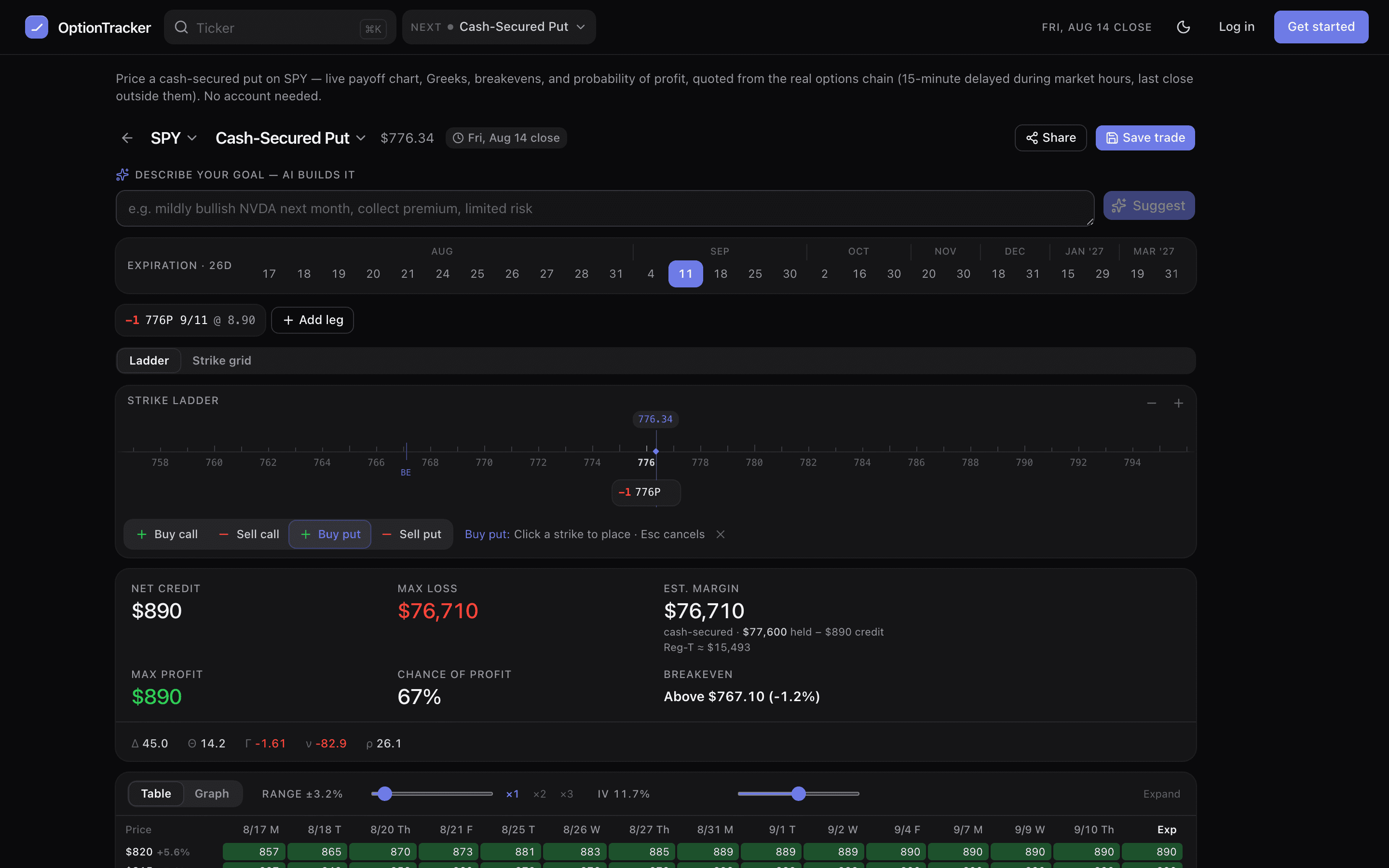
- Drag a chip along the ladder and the payoff graph, the price×date matrix and the summary recompute as you move. Strikes snap to what the chain actually lists.
- Arrow keys nudge a focused chip one strike at a time.
- The premium re-defaults from the chain when a strike changes; a manual premium override resets with an undo toast so nothing is lost silently.
- Right-click empty ladder space to add a leg at that strike, with each of buy/sell call/put priced from the chain.
The leg menu
Every chip carries its own menu — click it, right-click it, tap it on a phone, or press Enter while it has focus. Inside: a strike stepper, a contracts stepper, strike-by-delta, expiry, buy/sell to close, switch call/put, duplicate, mute and remove. Rows that change the price show the resulting net debit or credit before you choose. Muting a leg keeps it on the ladder, dashed, but drops it out of every number — a quick way to see the trade without one wing.
Drag, place, touch
Switch the panel below the ladder to graph and every option leg also gets a handle on the chart’s strike rail, sitting on the payoff itself. Drag one and the curve, the Greeks, the breakevens and the net move with your finger — strikes snap only to what the chain lists, and each step is re-quoted, so what you let go of is a price you could actually ask for. A whole drag is one Cmd+Z.
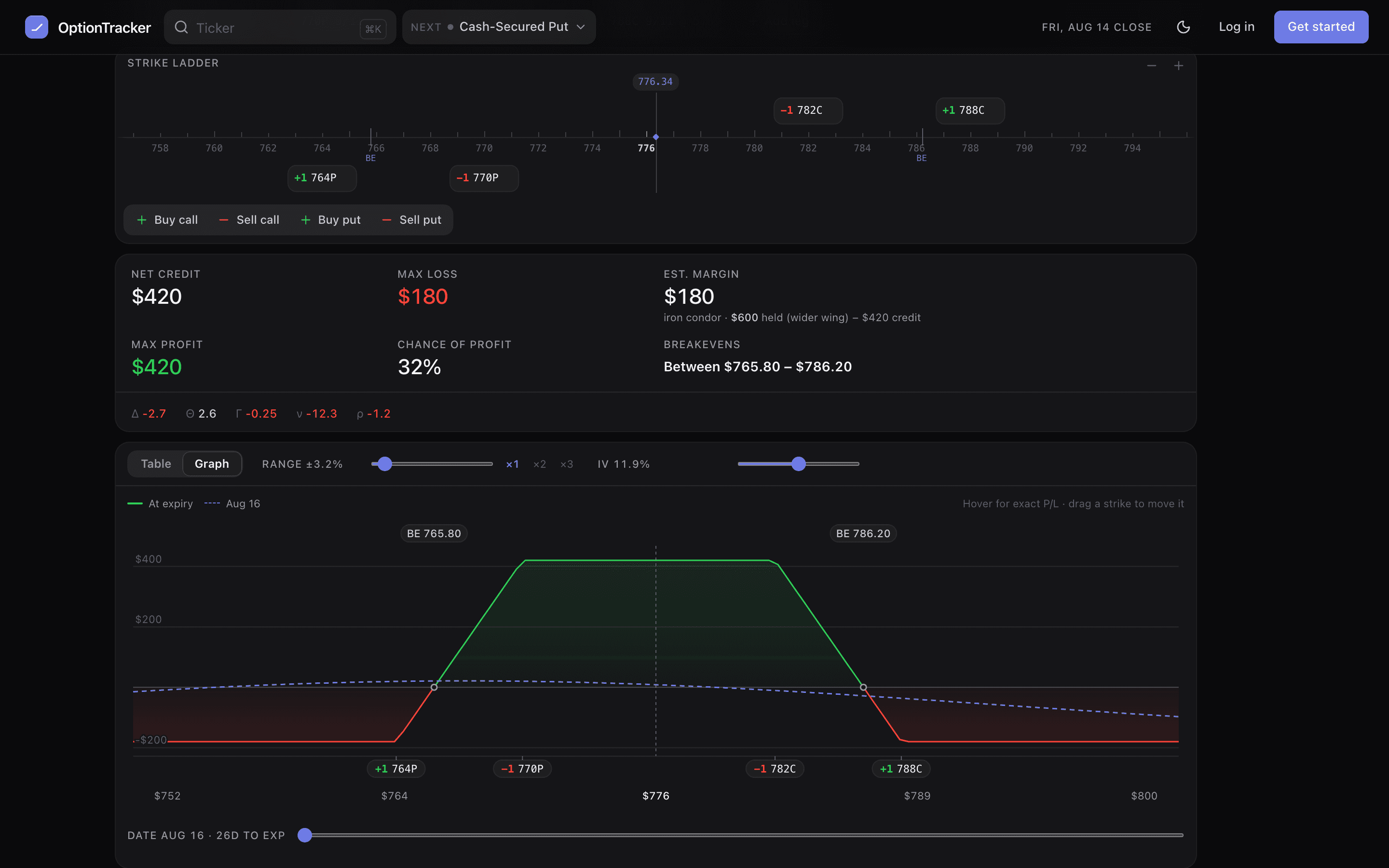
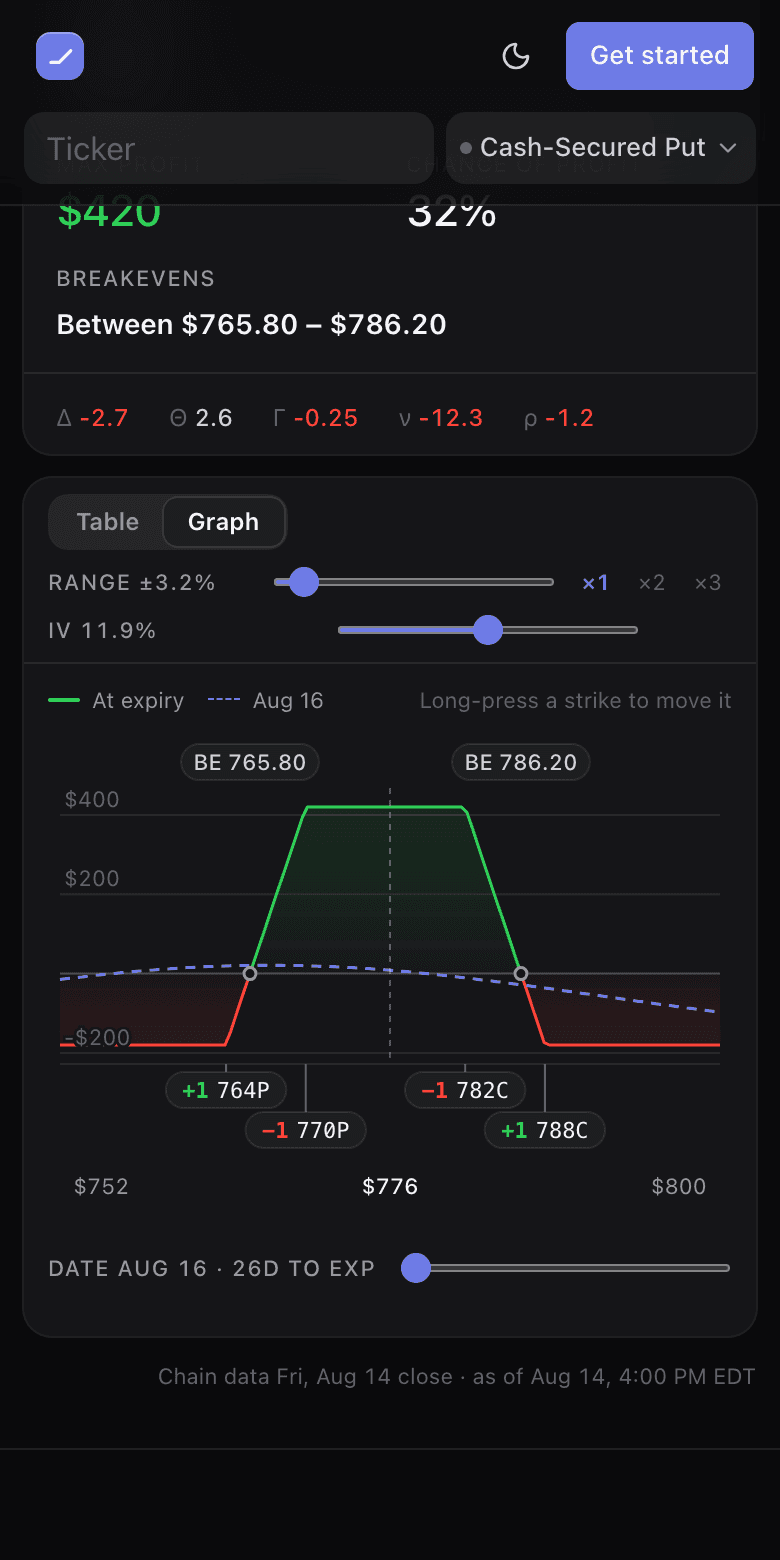
- Legs that share a strike stack into rows on the rail, and each pill moves its own leg — a ratio spread never turns into one draggable blob.
- A strike outside the visible price range is drawn clamped to the rail’s edge with a ‹ or › glyph, and it still drags from where you grabbed it rather than jumping to the edge.
- Keyboard: the arrow keys nudge a focused handle one listed strike at a time, Enter or Space opens that leg’s menu, and Escape drops focus without moving anything.
- The price×date table pauses and settles when you release — it is the heaviest thing on the screen. The payoff, the summary, the Greeks and the breakevens keep moving the whole time, and the table says so while it waits.
The leg palette
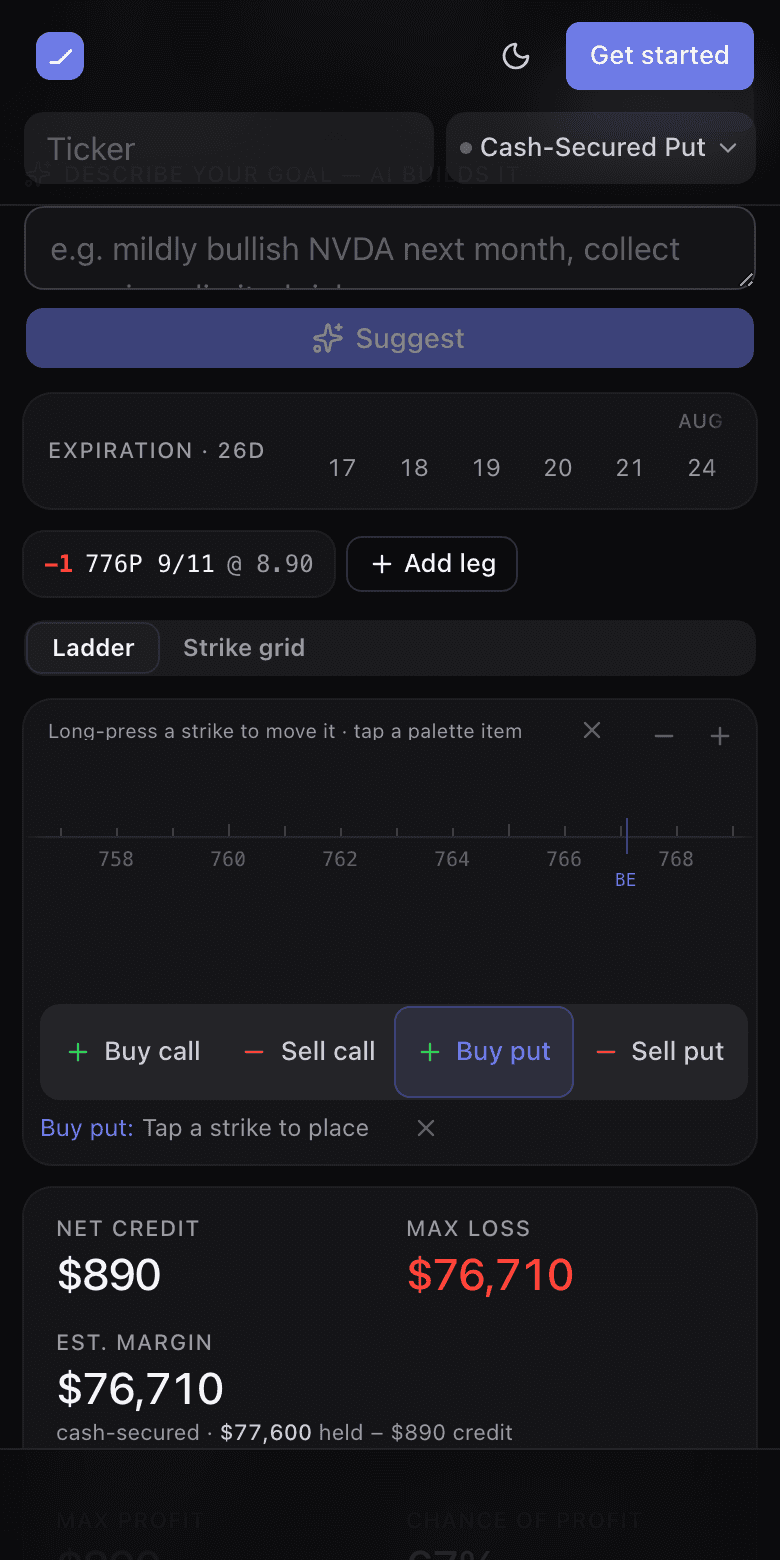
Under the ladder sit four items — Buy call · Sell call · Buy put · Sell put. Drag one onto the ladder or onto the chart and a ghost follows your pointer, snapping to the listed strike underneath; let go and the leg lands there at the chain’s own mark, so the net moves by exactly that mark × 100. Or click the item and then a strike: one shot, and Escape (or the ✕ beside the hint) cancels. That second path is the one that works with a thumb.
On a phone
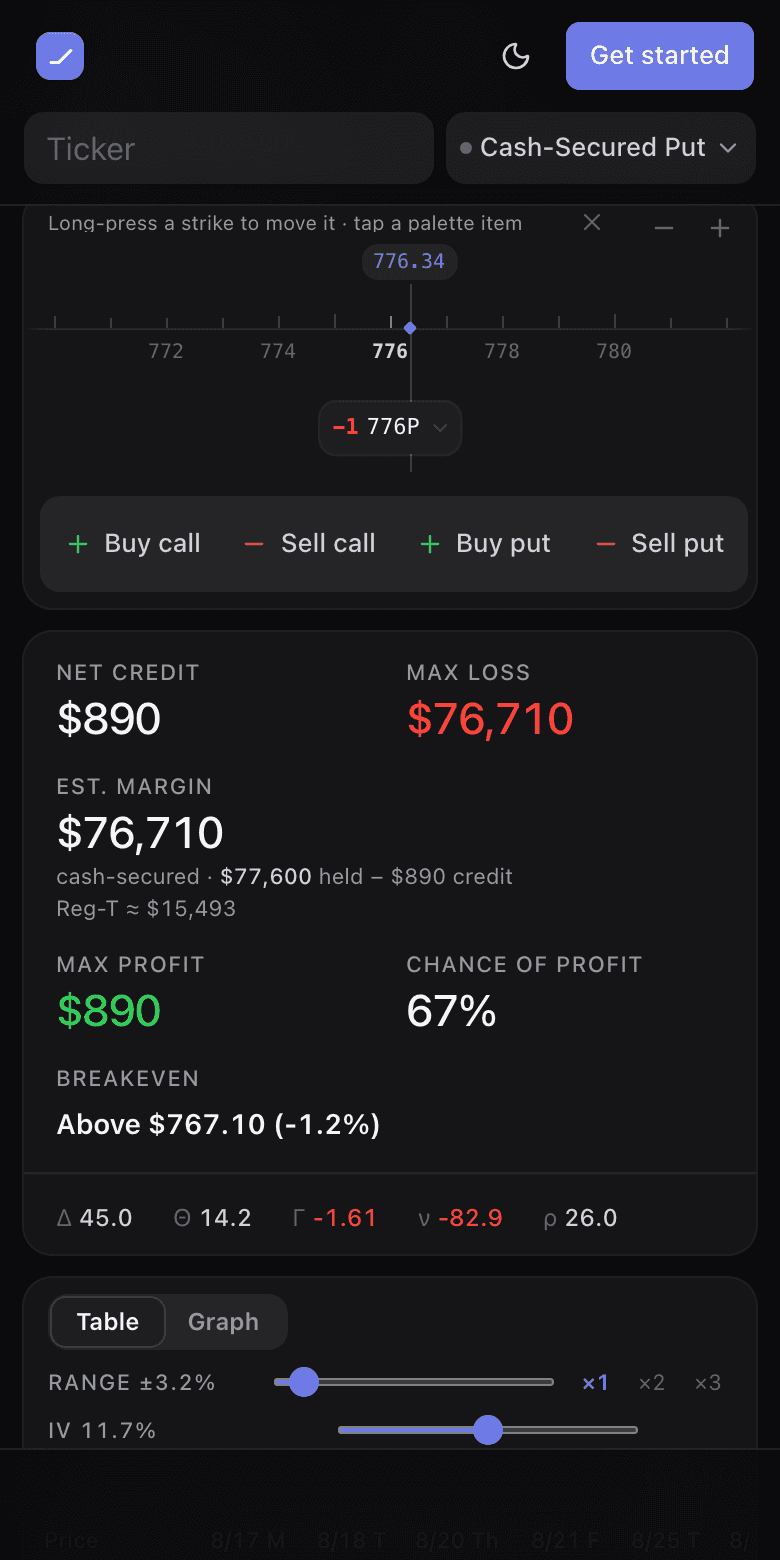
A long-press grabs a strike — the page holds still while you move it, so the drag cannot turn into a scroll halfway through. A short swipe still scrolls the page, and a plain tap opens the leg’s menu as a bottom sheet. The first time you open the builder on a touch device, the ladder card’s header carries the one-line hint — “Long-press a strike to move it · tap a palette item” — with an ✕ to dismiss it for good.
When the chain has no price for a strike
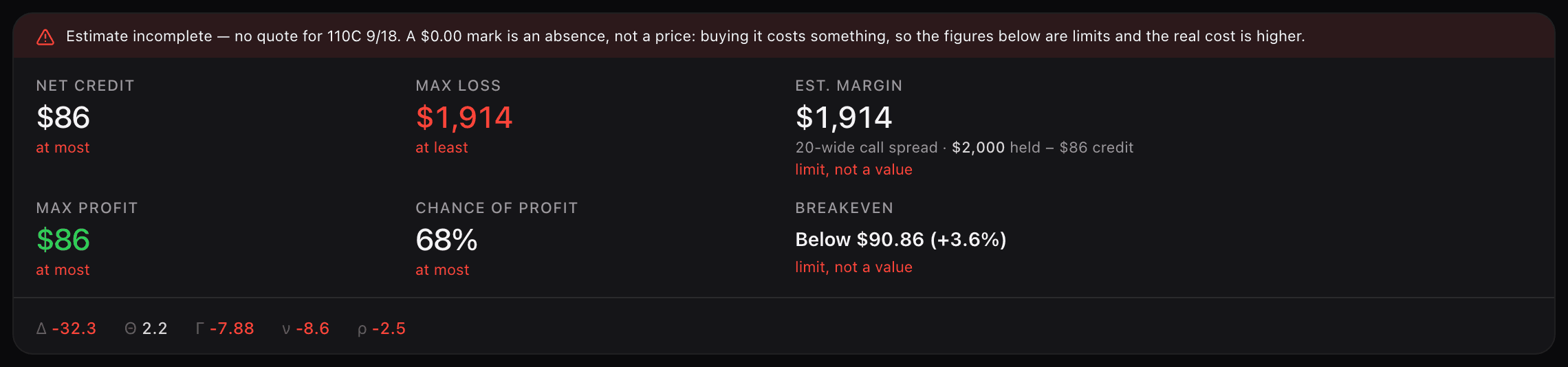
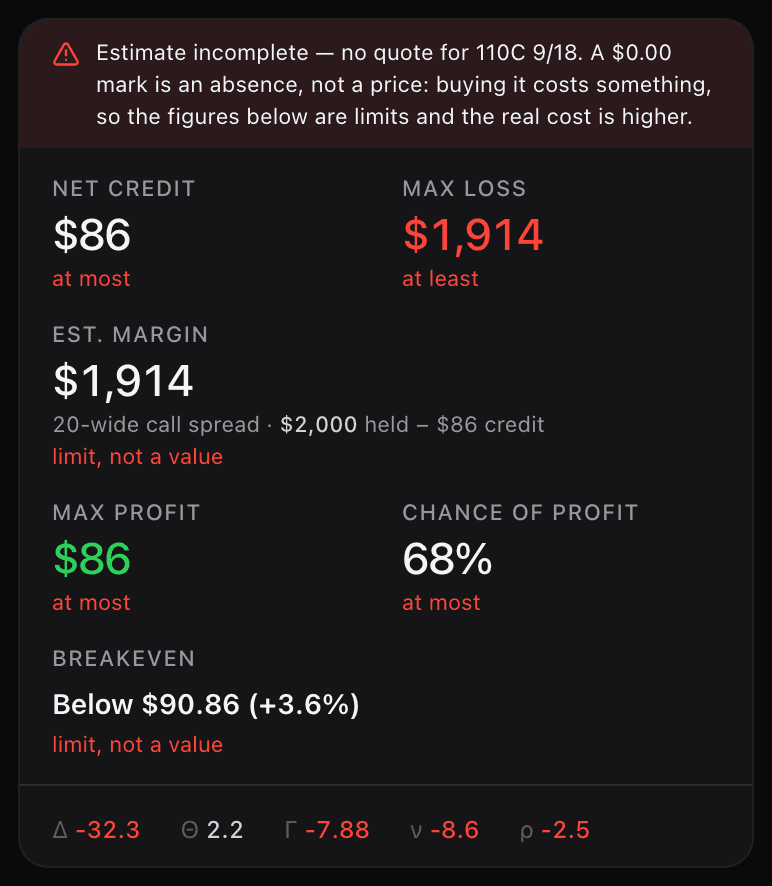
Some contracts have no market at all — no bid, no ask, no trade today. Deep out-of-the-money wings and thin far-dated strikes do this routinely. That leg reads no quote on its chip, on the ladder and in the payoff readout; it never reads $0.00, because a $0.00 mark is an absence, not a price, and pricing a missing leg at zero would say the contract is free.
The summary bar says so too. It turns red, states Estimate incomplete and names the contract, and every figure that reads the entry basis — net cost, max loss, max profit, chance of profit, Est. margin, the breakeven — carries what it actually is. Where the error has a known direction the figure keeps its number and says which way it is wrong: an unpriced leg you would BUY can only make the position cost more, so a credit is shown at most and a loss at least. Where the number would assert something it cannot — “risk-free”, “free”, a breakeven to the cent — it refuses with — instead.
Reading the numbers
Switch between the payoff graph and the price×date matrix above the ladder. Max profit, max loss and breakevens come from the engine’s own P/L model; chance of profit is lognormal on each leg’s implied volatility. Quotes are 15-minute delayed during market hours — the freshness chip by the summary says exactly what you are looking at.
Est. margin — what the trade ties up
Beside max loss the summary bar carries Est. margin: what the structure ties up, net of the credit you collect, with the method spelled out under the figure — the gross cash held, then the credit netted off it. A cash-secured put reads cash-secured · $77,600 held − $890 credit; a vertical is its width; an iron condor is its wider wing (iron condor · $600 held (wider wing) − $420 credit); shares that cover a written call read $0 additional; an uncovered short gets a Reg-T-style estimate. Where a broker could treat the same position the other way, a second line names that alternative (Reg-T ≈ $15,493). Brokers vary — house rules, portfolio margin, concentration add-ons — and the tile’s tooltip lists every assumption behind the figure rather than passing an estimate off as a quote.
- Signed in with a [Margin / Cash](/help/margin-and-cash) reading logged, the tile adds ≈ 20% of your buying power, dated to that reading (and marked when the reading is over a week old). Nothing in the builder writes to Margin / Cash — it only reads your newest figure.
- On a rolled campaign Est. margin can read above Max loss. That is not a contradiction: your broker holds collateral against the legs open today, and the credit banked on earlier rolls is already yours — it does not reduce what is being held.
- The two extremes are labelled for what they are. A rolled position can end up unable to lose money, or unable to make any; when that happens the bar says Worst case and Best case instead of printing a profit in red as “Max loss” or a loss in green as “Max profit”.
The address bar is the share link
The URL rewrites on every edit and pins your entry premiums plus the date. Send it to anyone: opened next month it still shows the trade you built, with entry, current mark, and the return since. A hand-typed URL without pinned premiums is a template and re-quotes live — the builder labels which of the two you are looking at.
What travels in the link is your fill, whatever it is — a price you typed yourself, $0.00 included, is pinned exactly as you stated it, and whoever opens the link sees the same net debit or credit you do. The one thing that cannot be pinned is a leg with no quote: there is no price to carry, so the Share dialog says the pin is unavailable and the link re-quotes live until you price that leg yourself.