Track your book
Save it, track it, close it — at any price, including $0.00
A saved trade is a live position: every visit to Trades re-prices your open positions from a fresh chain, and a background job snapshots them through the trading day, so the P/L history builds itself. This article covers the lifecycle — saving, correcting the fill, drafts, deleting, and the archive.
Saving from the builder
Press Save in the builder. The dialog shows each leg’s quoted price next to an editable filled at field, because you never fill at the quote — the chain said 1.20, your broker said 1.17, and every downstream number keys off the entry. A leg the chain has no market for shows no quote in that column instead of a price, and its field starts at $0.00 only because there was nothing to seed it with — type what you actually paid. Until you do, the dialog’s net debit/credit is marked as a limit rather than a value, and nothing is stored as a “quote” we never had. You can also type one net fill for the whole position and the legs back-solve proportionally. Anonymous saves are kept on this device (up to 3) and move into your account when you sign up; free accounts hold 3 saved trades, Pro is unlimited.
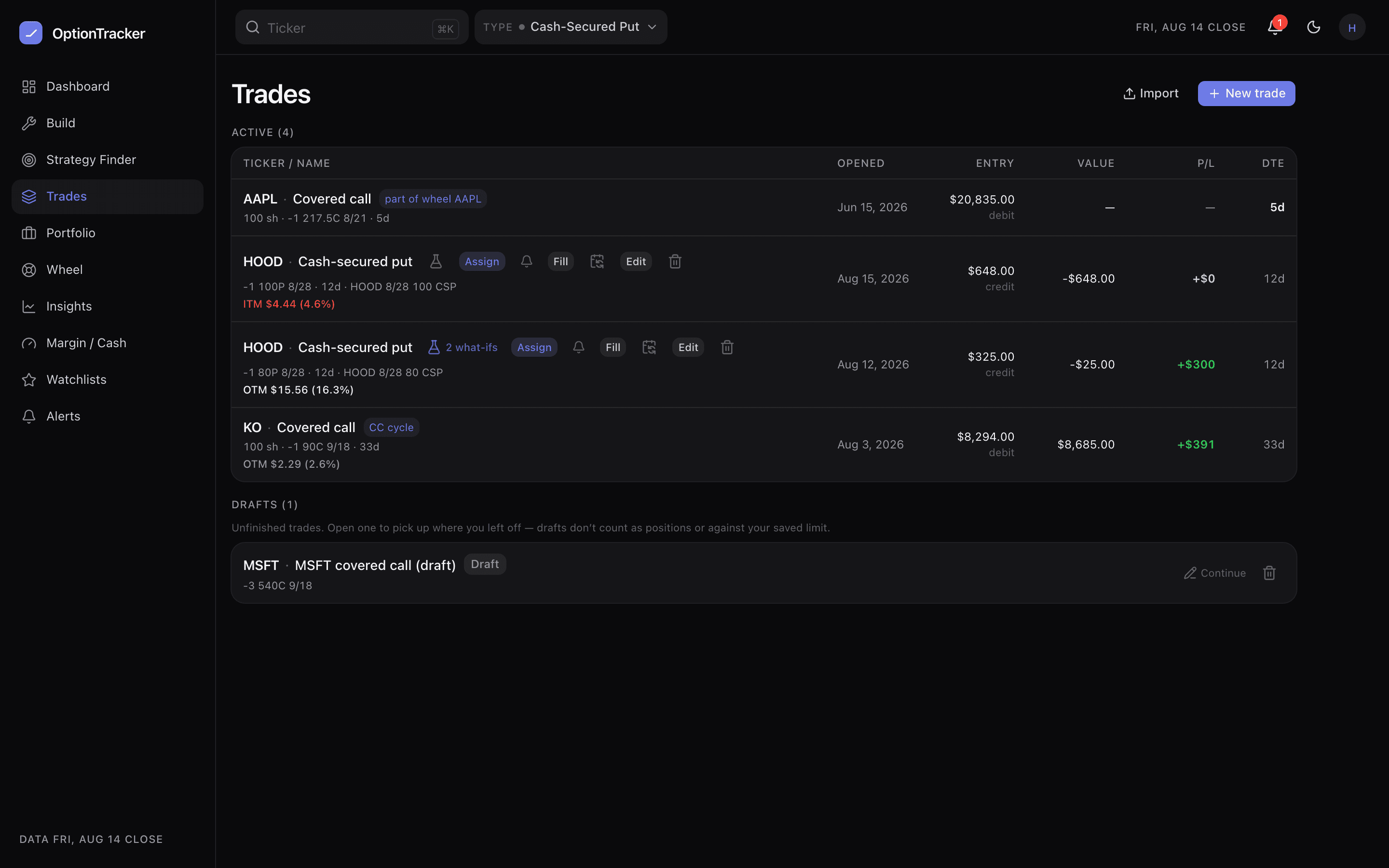
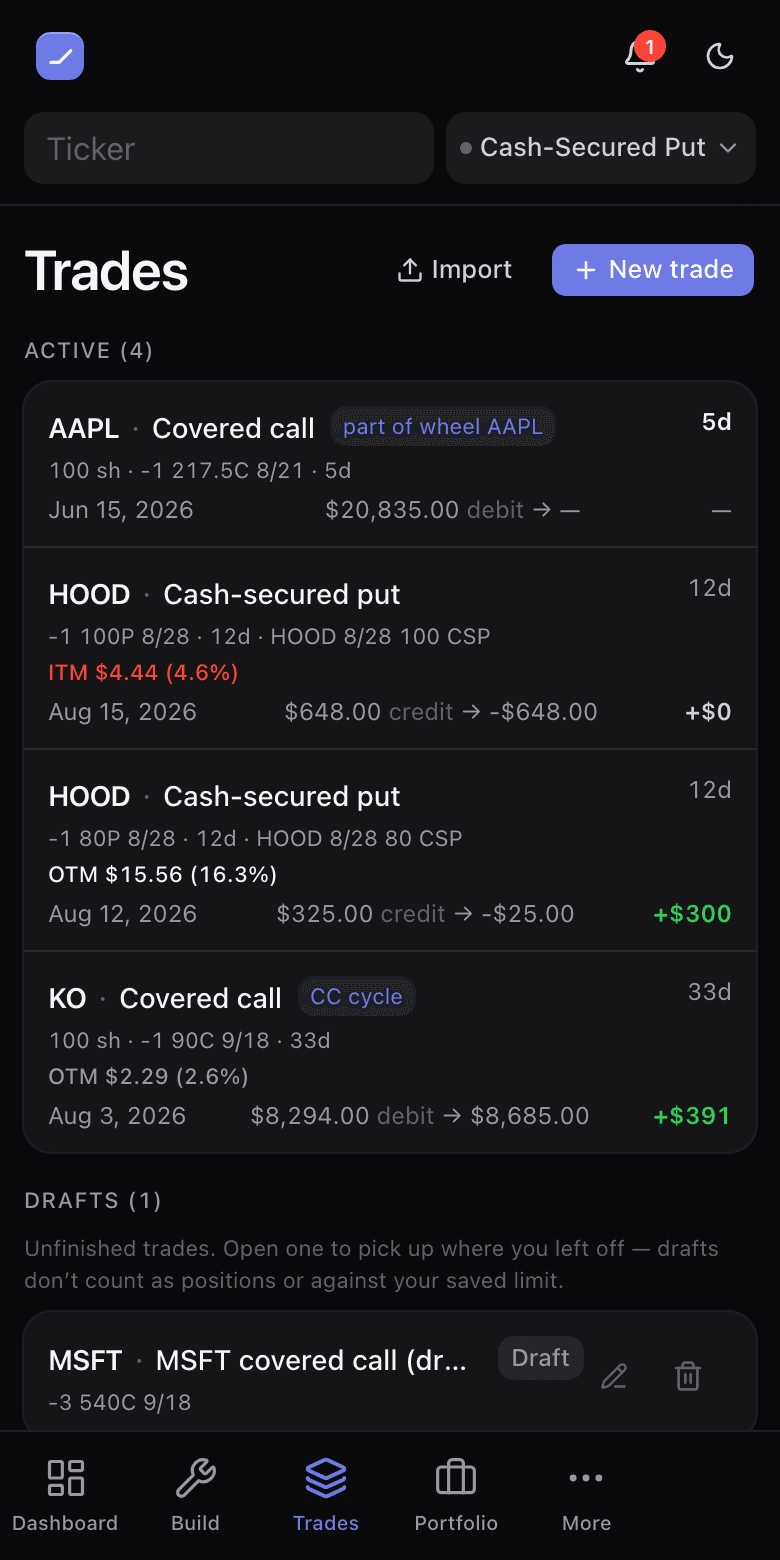
Drafts
Signed in, the builder offers Save draft — an unfinished ticket, not a position. A draft shows no valuation, no P/L, no DTE; it holds your legs and notes until you finish it. Opening a draft lands back in the builder in edit mode, and finishing it promotes it to a real saved trade.
Closing
Close a position at whatever it actually settled at — including $0.00. A put that expires worthless is worth zero, and recording it as a penny quietly corrupts the realized ledger, the cycle basis and every return derived from them. Closed trades keep the price you closed at; they are never re-quoted.
On your phone: the row opens an action sheet
On a phone, tapping a trade row slides up a bottom action sheet: the position’s legs, total return, cost basis and current value (plus a P/L sparkline and today’s return once snapshot history exists), with every action stacked below — View / edit trade, Roll, Record assignment, Set P/L alert, Edit entry fill, Edit position, Share, Close and Delete. Swipe the sheet down (or tap outside it) to dismiss. On desktop, clicking a row opens the trade directly and the actions sit inline on the row, as always.
Deleting, and the archive
- Delete asks first, then offers Undo for a few seconds after — on the row and inside the position detail. A second delete forfeits the first undo, so take them one at a time.
- Expired open positions file themselves into the archive with a settled valuation — nothing silently disappears, and the archive keeps the option history for the record.
- Rolling: any open position with a live short leg carries a Roll action (on the row and in the builder header). The preview prices the buy-back and the new sale from the live chain and states the net credit before you confirm.
Changing a position you already hold
A saved trade is read-only in the builder: you cannot drag its strikes or add a leg to it by accident. When you want to change one, try it in Explore first — a scratch copy beside the real position that prices the change against today’s chain, tells you what it does to your collateral and your risk, and rewrites the trade only when you press Apply and confirm. The trades list shows how many what-ifs each position is carrying (2 what-ifs), and the phone action sheet offers Explore what-ifs (n) right under View / edit.
The same is true of rolls. The Roll action above is the quick single-candidate preview; Explore will instead rank the rolls available on that short leg — the strike you hold and two either side, at up to four expiries past the one you are in — with the credit, the collateral each frees, and a flag on any roll that only pays because it moves closer to the money. Ivy can price a roll and rank your options too, and on a wheel or covered-call cycle she will record one for you behind her own Confirm card — but applying a roll to a saved position’s legs happens here, and only here.