Index Options
Trade SPX, SPXW, NDX, VIX, RUT, and other index options with automatic symbol mapping and smart expiration filtering.
Option Tracker fully supports index options trading, including the most popular indices: S&P 500 (SPX/SPXW), NASDAQ-100 (NDX), VIX, and Russell 2000 (RUT).
Supported Index Options
| Symbol | Name | Settlement | |--------|------|------------| | SPX | S&P 500 Index | AM | | SPXW | S&P 500 Index (Weekly) | PM | | NDX | NASDAQ-100 Index | AM | | NDXP | NASDAQ-100 Index (PM) | PM | | VIX | CBOE Volatility Index | AM | | VIXW | CBOE Volatility Index (Weekly) | PM | | RUT | Russell 2000 Index | AM | | RUTW | Russell 2000 Index (Weekly) | PM |
Searching for Index Options
When creating a new trade, simply search for the index symbol. Index options appear at the top of search results with their full name.
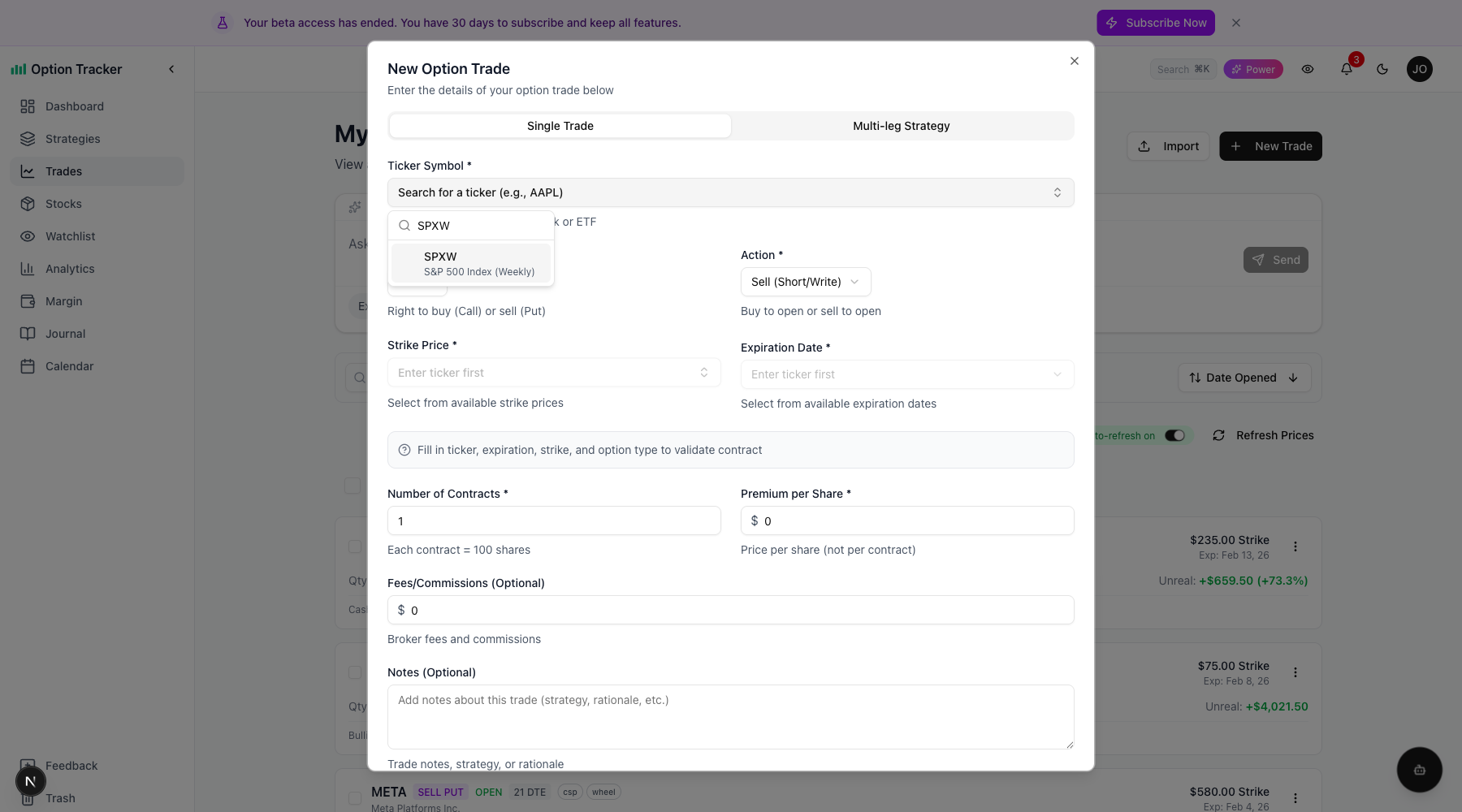
For example, searching "SPXW" shows "S&P 500 Index (Weekly)" as the first result.
Expiration Type Filter
Index options like SPX have daily expirations (0DTE), which can result in dozens of expiration dates. To help you find the right contract quickly, Option Tracker provides an expiration type filter for index options.
The filter appears above the expiration dropdown when you select an index ticker:
- All - Show all available expirations
- Daily - Show daily expirations only (0DTE, 1DTE, etc.)
- Weekly - Show weekly Friday expirations
- Monthly+ - Show monthly, quarterly, and LEAPS expirations
By default, the filter is set to Weekly to show a manageable list of expirations. You can switch to Daily for 0DTE trading or All to see everything.
Expiration Type Badges
Each expiration date shows a colored badge indicating its type:
- Daily (orange) - Non-Friday short-term expirations
- Weekly (blue) - Friday weekly expirations
- Monthly (green) - Monthly options cycle
- Quarterly (purple) - Quarterly expirations
- LEAPS (gray) - Long-term options (1+ year)
These badges help you quickly identify the expiration type without calculating dates manually.
Index Badge on Trade Cards
Index option trades are marked with an "Index" badge on the trade card, making it easy to distinguish them from regular stock options at a glance.
Cash-Settled Options
All index options are cash-settled, meaning they settle in cash rather than shares of stock. Because of this:
- The "Assign to Stock Position" action is hidden for index option trades
- You don't need to worry about stock assignment at expiration
- Settlement is automatic based on the index value at expiration
Symbol Mapping
Option Tracker automatically handles symbol mapping for you. When you trade SPXW options:
- Your trade is stored with the SPXW ticker (what you selected)
- API calls use SPX (the underlying index) to fetch expirations and prices
- OCC symbols correctly use SPXW as the root
This happens transparently - just select SPXW and Option Tracker handles the rest.
Dashboard & Analytics
Index option trades appear in all analytics and dashboard views just like regular stock options:
- P&L by ticker shows SPXW and SPX as separate entries
- Win rate and performance metrics include index trades
- Calendar view shows index expirations with an "Index" indicator
Tips for Index Options Trading
- Use the filter - For SPX/SPXW, start with the Weekly filter to avoid overwhelming expiration lists
- Check settlement type - SPX settles at market open (AM), SPXW settles at market close (PM)
- Watch for 0DTE - Daily expirations are highlighted with the Daily badge
- No assignment risk - Cash-settled means no surprise stock positions
Next Steps
- Managing Trades - Learn more about creating and managing option trades
- Analytics - Analyze your index options performance
- Calendar View - View your index expirations on the calendar