Privacy Mode
Protect your privacy when trading in public. Instantly blur account balances, P&L numbers, and position sizes with one click. Perfect for coffee shops, offices, or streaming.
Privacy Mode lets you hide sensitive financial values with a single click, perfect for reviewing your portfolio in public spaces like coffee shops, airports, or the office.
How It Works
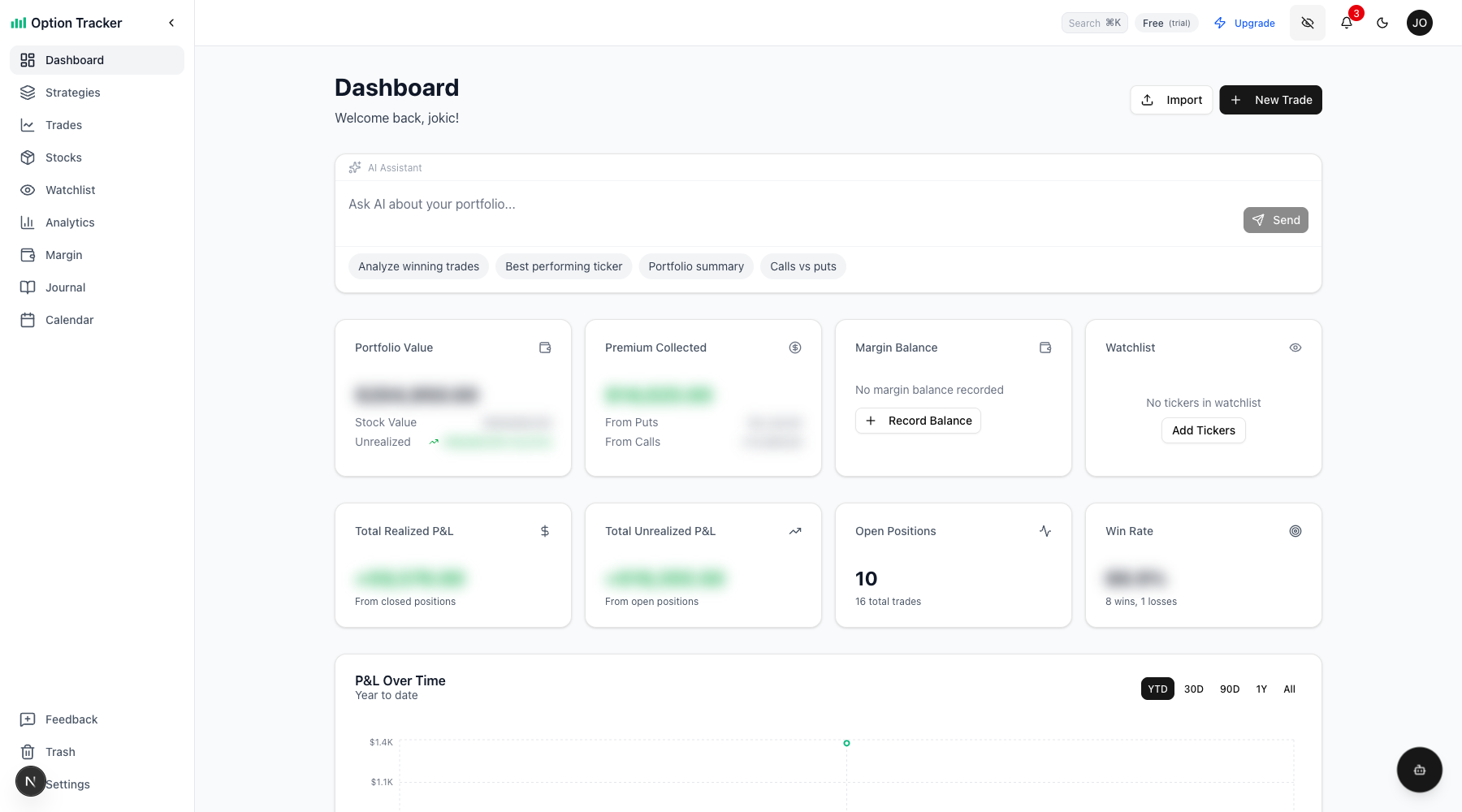
When Privacy Mode is enabled, aggregate financial totals are blurred while keeping the overall dashboard structure visible. This way you can still navigate and review your positions without exposing exact dollar amounts.
Values That Get Blurred
- Dashboard: Portfolio value, premium collected, margin balance, unrealized P&L
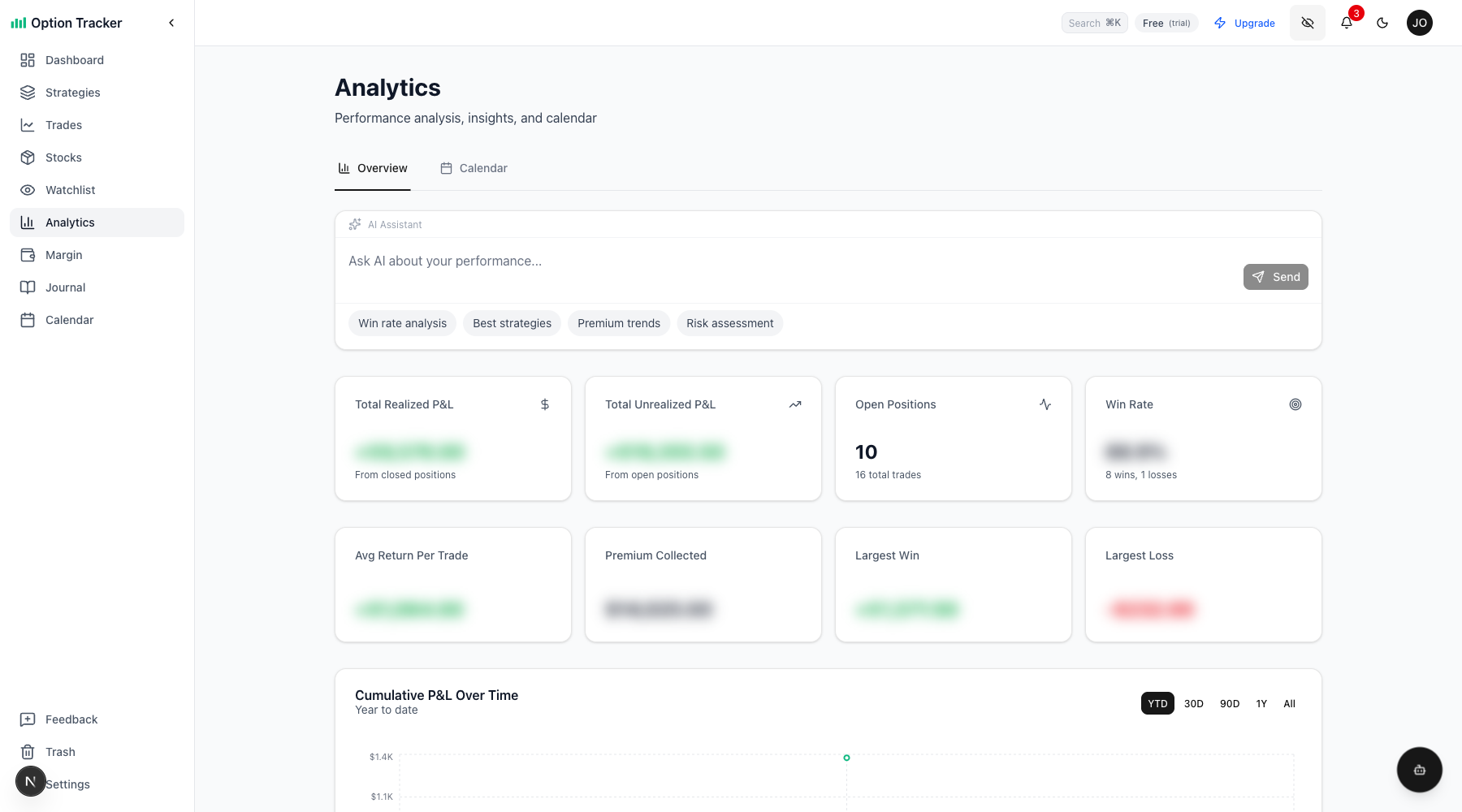
- Analytics: Average return per trade, total premium, largest win/loss, return on capital
- Summary Cards: Total realized P&L, total unrealized P&L, win rate
Values That Stay Visible
- Individual trade and position details
- Ticker symbols and dates
- Trade counts and statistics
- Charts and graphs (they show trends, not exact values)
Using Privacy Mode
Toggle Privacy Mode
Click the Eye icon in the header navbar to toggle privacy mode on and off.
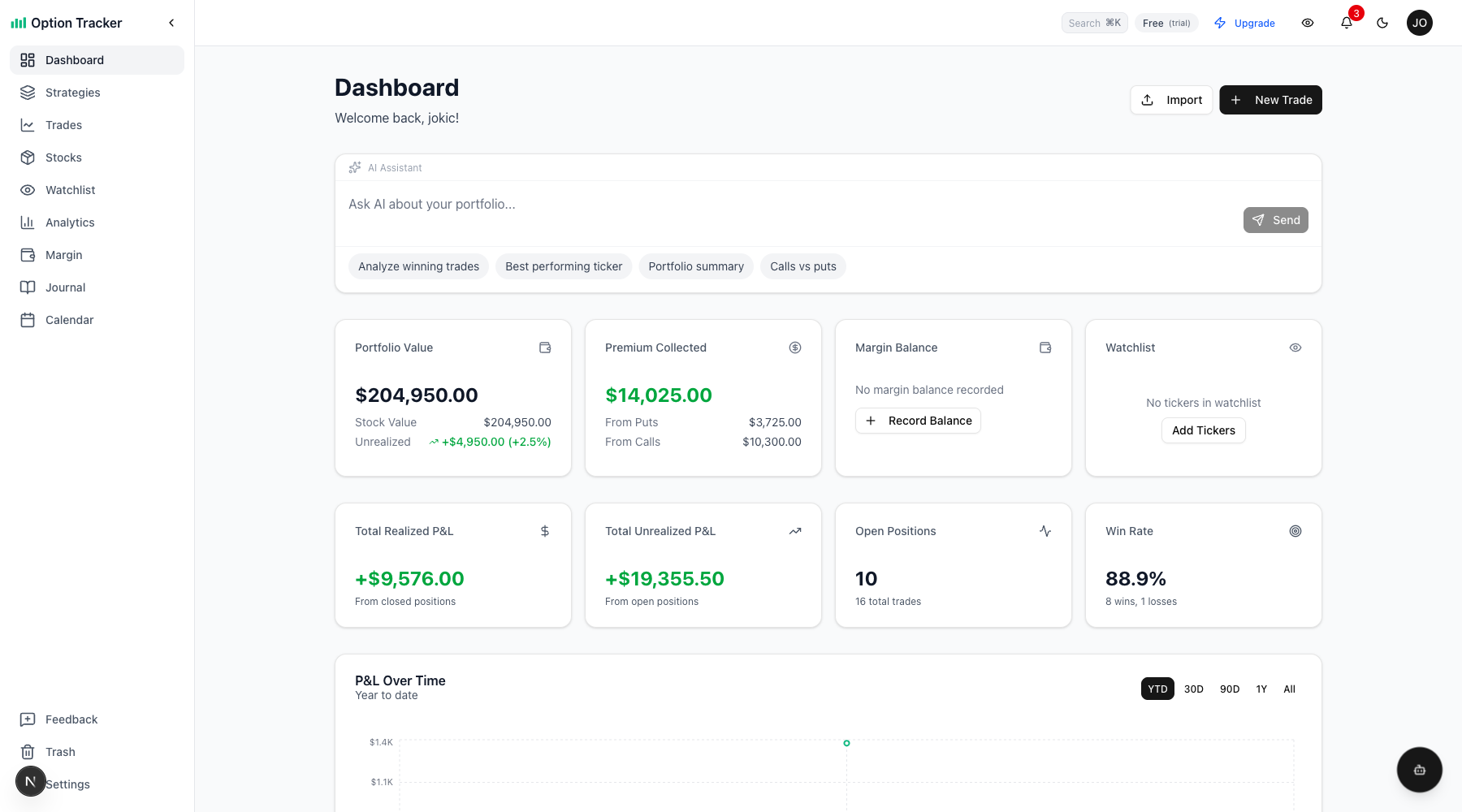
When privacy mode is enabled, the icon changes to EyeOff and sensitive values are blurred:
Analytics Page
Privacy mode also applies to the analytics page, blurring performance metrics while keeping charts visible:
Features
- Instant Toggle: One click to blur or reveal values
- Persists Across Sessions: Your preference is saved to your account
- Smooth Animation: 200ms transition for a polished experience
- Accessible: Screen readers announce "Value hidden for privacy" for blurred values
- Mobile Friendly: 44x44px touch target for easy mobile use
Tips
- Quick Toggle: Click the eye icon anytime you need to briefly hide values
- Charts Remain Visible: You can still analyze trends and patterns even in privacy mode
- Individual Values Visible: Only aggregate totals are hidden - you can still see individual trade details
Keyboard Shortcut
Currently, privacy mode is toggled via the header icon. A keyboard shortcut may be added in a future update.