Live Options Pricing
Get real-time options prices, contract matching, break-even tracking, and expiration alerts for your trades.
Option Tracker automatically matches your trades to live market contracts, giving you real-time prices, break-even calculations, and expiration alerts. This guide explains how live pricing works and what you'll see in the app.
Overview
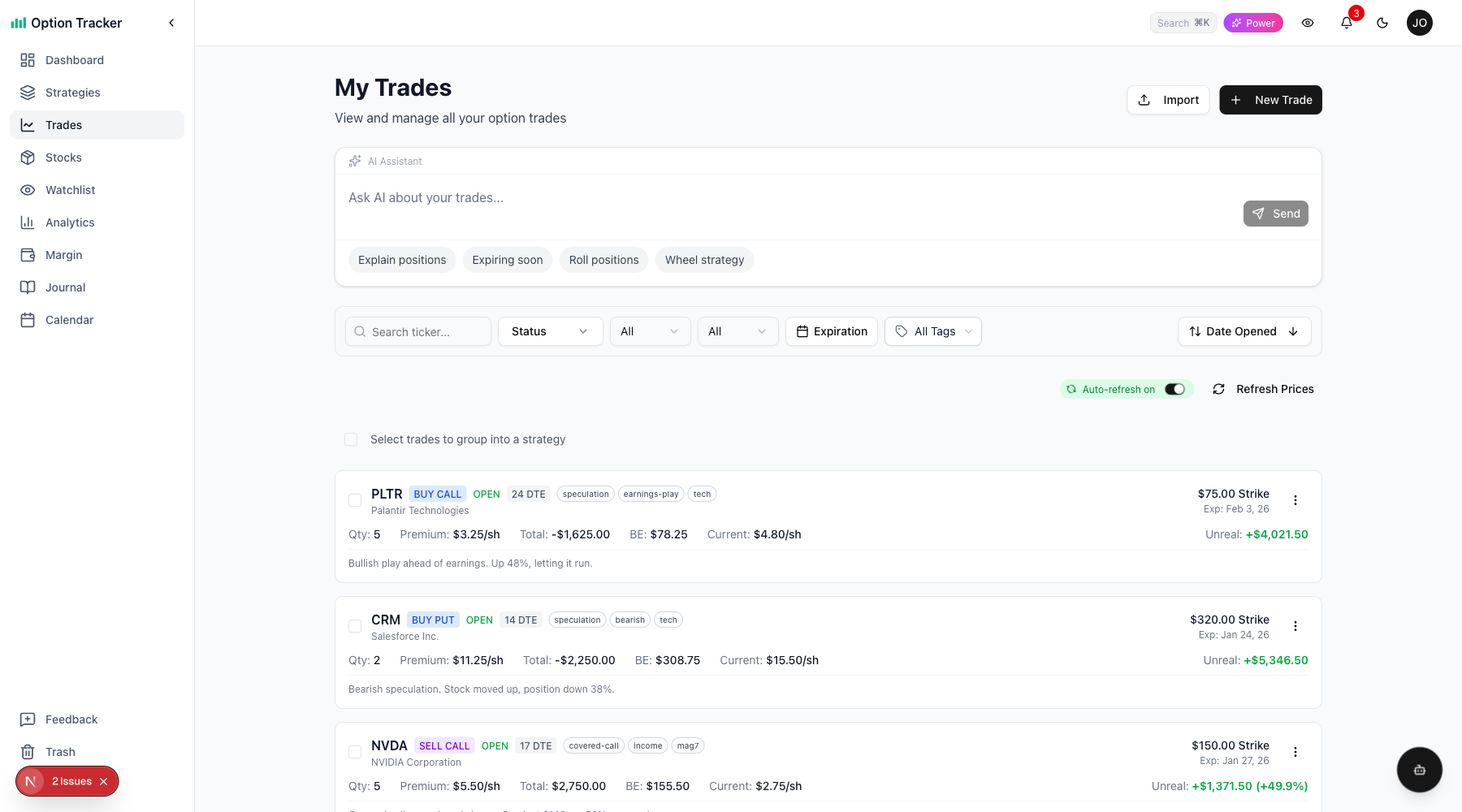
Live pricing is available on paid plans and provides:
- Contract Matching - Your trades are matched to real market contracts for accurate pricing
- Live Prices - See current bid, ask, and last prices that update when you refresh
- Break-Even Tracking - Know exactly where your break-even is and how far away the stock is
- Expiration Alerts - Visual badges warn you as trades approach expiration
- P&L Calculations - Unrealized profit/loss updates with current prices
Pages with Live Pricing
Live pricing is integrated throughout the app:
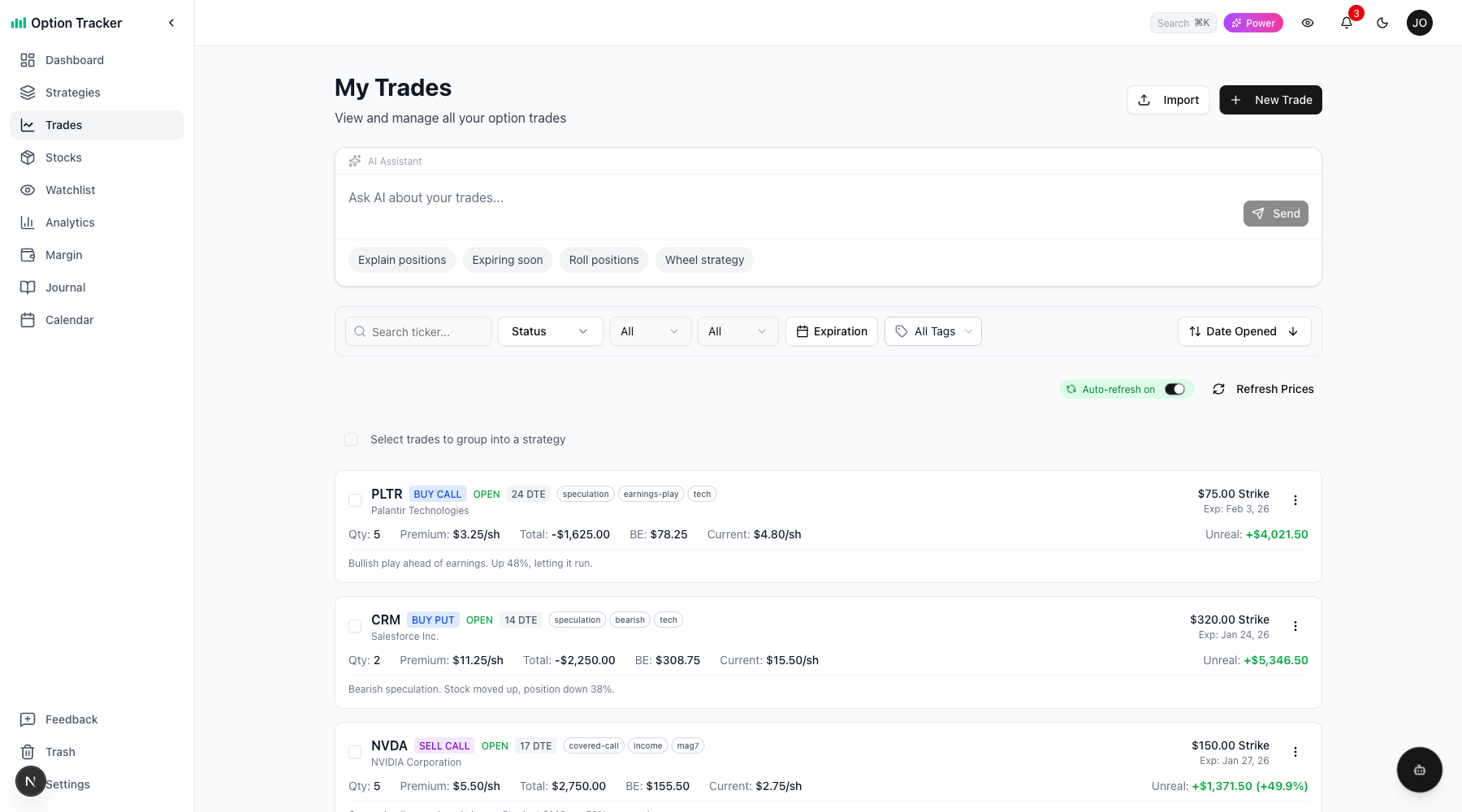
| Page | What You See | |------|--------------| | Trades | Current price, P&L, DTE, ITM/OTM badges, break-even | | Dashboard | Portfolio value with live option prices | | Strategies | Net value of multi-leg positions | | Stock Positions | Combined value including covered call premiums |
Contract Matching
When you enter a trade, Option Tracker automatically matches it to a live market contract.
How Matching Works
- You enter the ticker, expiration, strike, and option type
- The app fetches available contracts from the market
- If an exact match is found, your trade is linked to that contract
- Live prices flow automatically from that point forward
Match Status Indicators
You'll see one of these indicators on your trades:
| Badge | Meaning | |-------|---------| | No badge | Contract matched successfully - live prices active | | No live data | Contract couldn't be matched - manual pricing only | | May be adjusted | Contract was matched but no longer found (corporate action possible) |
Re-Matching Contracts
If your trade shows "No live data", you can try to re-match it:
- Click the badge on the trade card
- The app will attempt to find a matching contract
- If found, select it to link your trade
This is useful for trades entered before live pricing was enabled or trades with expired contracts that were rolled.
Break-Even Tracking
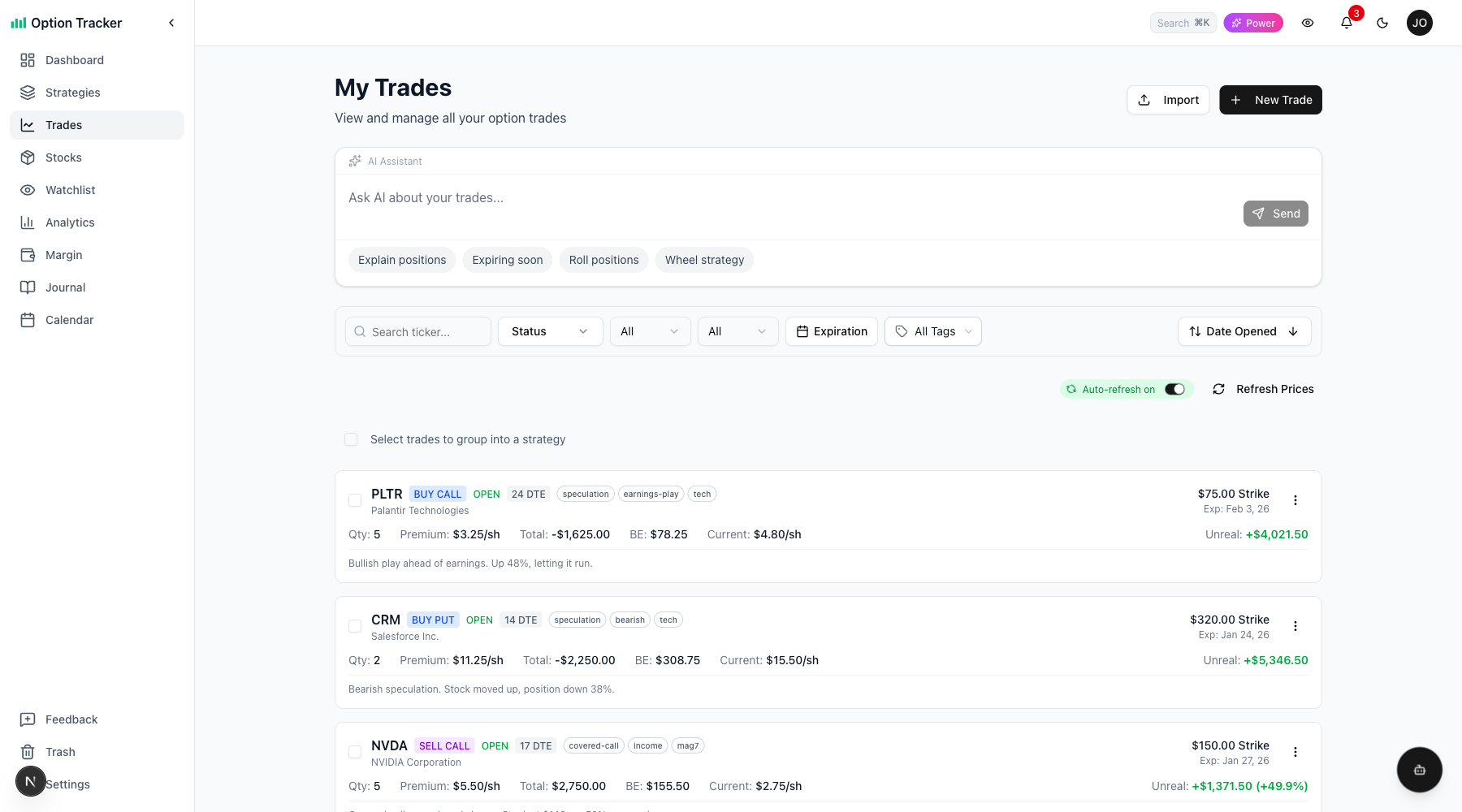
Every trade shows its break-even price and how far the current stock price is from it.
Break-Even Calculation
| Trade Type | Break-Even Formula | |------------|-------------------| | Long Call | Strike + Premium Paid | | Long Put | Strike - Premium Paid | | Short Call | Your entry point is the premium received | | Short Put | Strike - Premium Received |
Reading the Break-Even Display
The break-even shows:
- BE: $188.45 - Your break-even price
- +2.3% to BE - Stock needs to rise 2.3% to reach break-even
- -1.5% from BE - Stock is 1.5% below break-even (in profit territory for puts)
Colors indicate profitability:
- Green = Stock is on the profitable side of break-even
- Red = Stock needs to move to reach break-even
Expiration Alerts
Visual badges alert you as trades approach expiration so you can take action.
DTE Badges
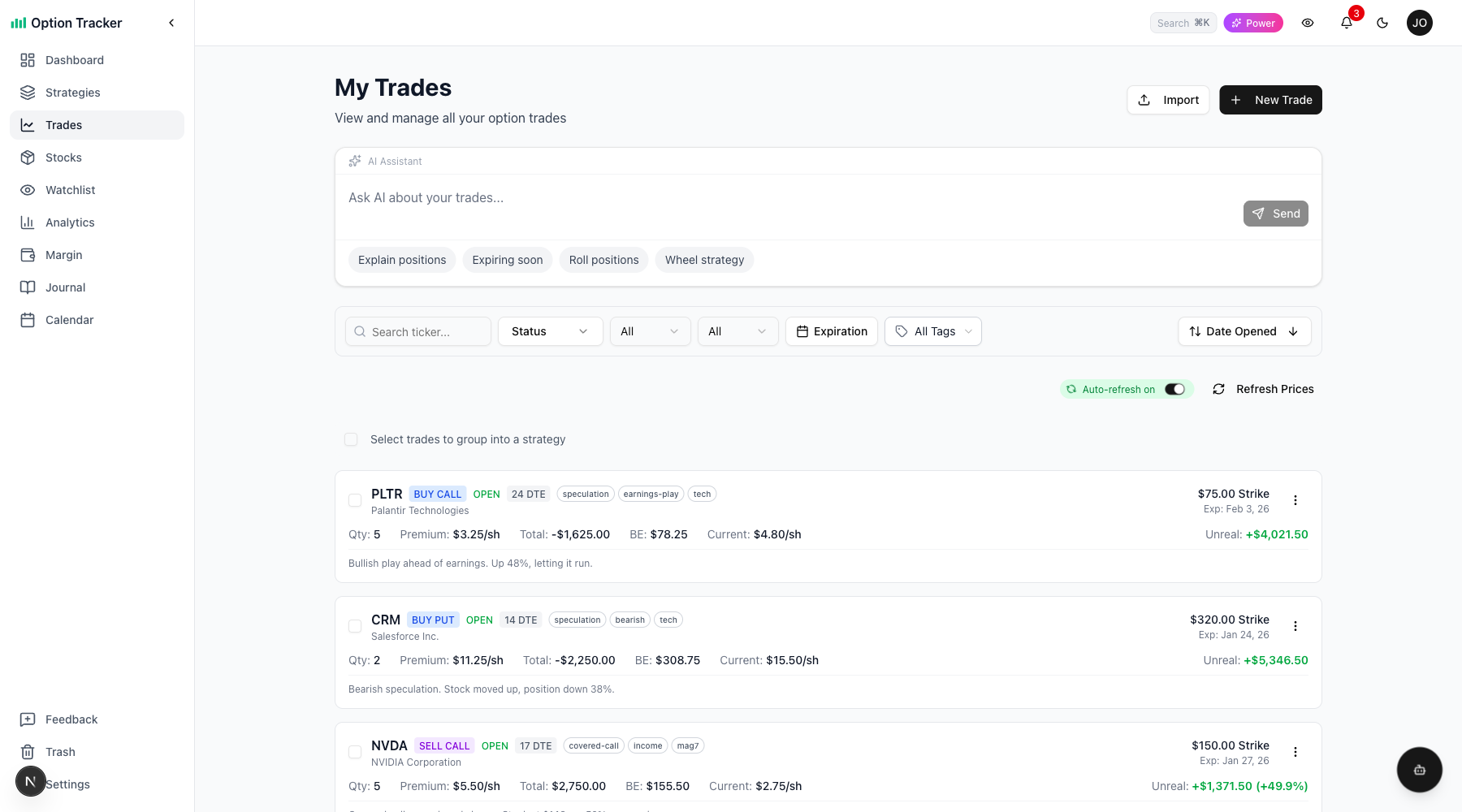
Every open trade shows "Days to Expiration":
| Badge | Color | Meaning | |-------|-------|---------| | 15 DTE | Gray | Normal - plenty of time | | 7 DTE | Amber | Expiring soon - consider action | | 2 DTE | Red | Expiring Friday - action recommended | | Expires Today | Red (pulsing) | Expires today - immediate action needed |
Notification Bell Alerts
The notification bell shows expiration reminders:
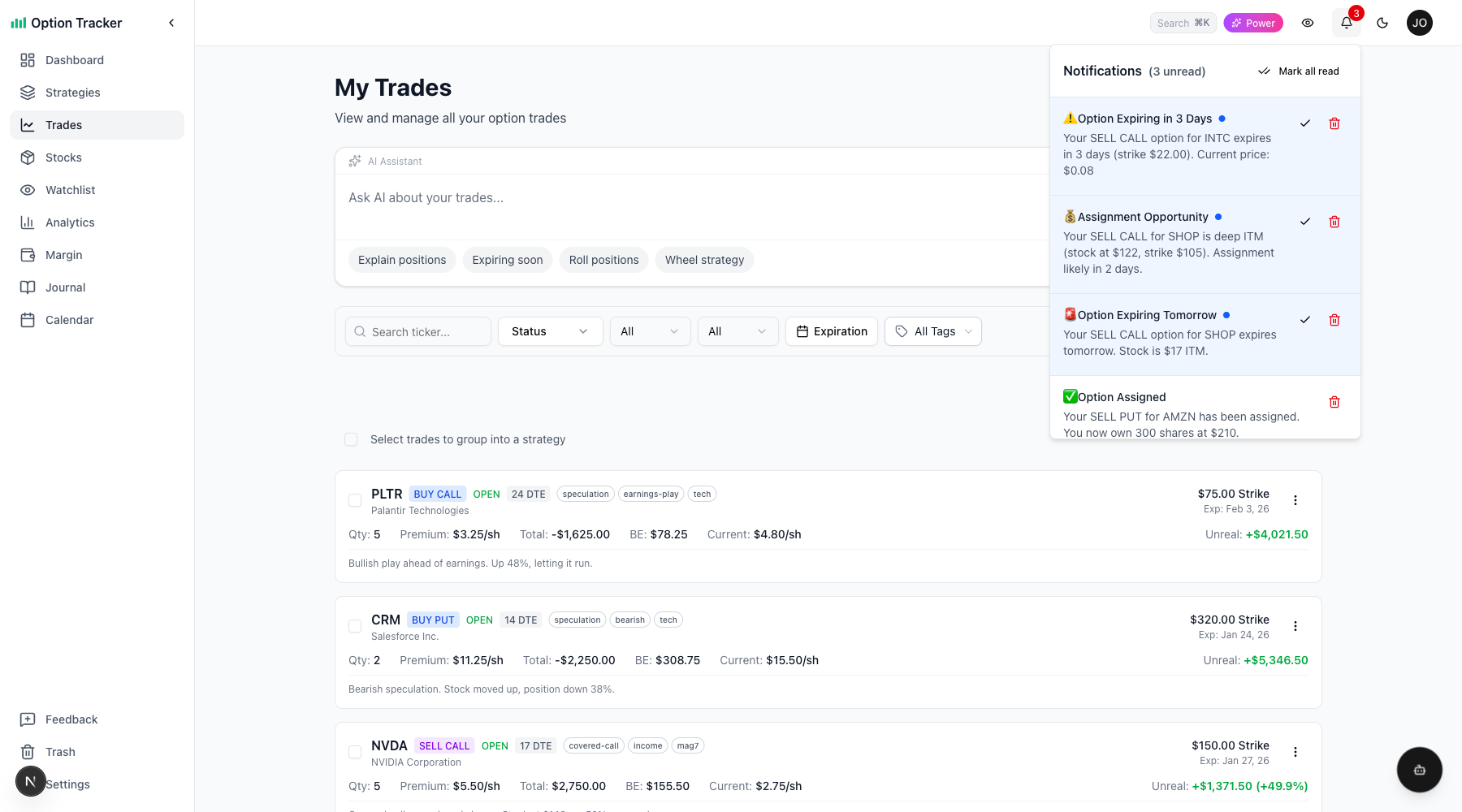
- 7 days before: "AAPL $185 Call expires in 7 days"
- 2 days before: "AAPL $185 Call expires Friday - take action"
- Expiration day: "AAPL $185 Call expires today"
Click a notification to go directly to that trade.
ITM/OTM/ATM Badges
Trades show their "moneyness" - whether they're in, out, or at the money:
| Badge | Meaning | |-------|---------| | ITM (green) | In The Money - option has intrinsic value | | ATM (gray) | At The Money - stock price equals strike | | OTM (gray) | Out of The Money - no intrinsic value |
For short options (covered calls, cash-secured puts), you may also see:
| Badge | Meaning | |-------|---------| | Assignment Risk (amber) | ITM within 7 days - early assignment possible | | High Assignment Risk (red) | ITM within 2 days - likely to be assigned |
Refreshing Prices
Prices don't auto-update continuously to manage API costs. Instead, you control when prices refresh.
Manual Refresh
Click the "Refresh Prices" button to update all visible trades. The button shows "Refreshing..." while fetching new prices.
Market Status
The market status indicator shows:
- Live (green) - Market is open, prices are current
- Stale (amber) - Prices are more than 5 minutes old during market hours
- Market Closed (gray) - Outside trading hours (9:30 AM - 4:00 PM ET)
Tier Differences
| Tier | Refresh Capability | Cache Duration | |------|-------------------|----------------| | Paper Trader (Free) | No refresh - manual entry only | N/A | | Active Trader ($19/mo) | Manual refresh button | 15 minutes | | Power Trader ($39/mo) | Manual + Auto refresh | 5 minutes |
Power Traders can enable auto-refresh to automatically update prices every 5 minutes while on the page.
P&L Display
All P&L displays show both dollar amount and percentage:
+$245 (+12.5%) or -$120 (-8.3%)
Colors make it easy to scan:
- Green for profit
- Red for loss
P&L is calculated from your entry price to current market price for open trades.
Settlement at Expiration
When options expire, the app calculates the final settlement:
- OTM options: Settle at $0.00 - you keep the full premium (if sold) or lose the full premium (if bought)
- ITM options: Settle at intrinsic value (difference between stock price and strike)
The trade card shows "Settlement P&L" after expiration with the final profit or loss.
Troubleshooting
"No live data" on my trade
This means the contract couldn't be matched. Common causes:
- Expired contract - The option has already expired
- Invalid strike - The strike price doesn't exist for this expiration
- Adjusted contract - Corporate action changed the contract symbol
Try clicking the badge to re-match, or edit the trade to correct any details.
Prices seem stale
Check the "Last updated" timestamp. If it's old:
- Click "Refresh Prices" to fetch new data
- Check if the market is open
- Verify you have a paid subscription for refresh capability
"May be adjusted" badge
This appears when a previously matched contract can no longer be found. This typically happens after:
- Stock splits
- Mergers/acquisitions
- Special dividends
The contract symbol may have changed. Click the badge to try re-matching to find the adjusted contract.
Pricing Plans
Live pricing is a paid feature designed for active traders who need current market data.
| Feature | Paper Trader | Active Trader | Power Trader | |---------|--------------|---------------|--------------| | Contract Matching | Yes | Yes | Yes | | Break-Even Display | Yes | Yes | Yes | | Expiration Badges | Yes | Yes | Yes | | Price Refresh | No | Manual (15-min) | Manual + Auto (5-min) | | Live P&L | Manual entry | Yes | Yes |
View pricing plans to learn more about each tier.