Exporting Data
Export your trading data in CSV or Excel format for backup, analysis, or use in other applications.
Export your complete trading data from Option Tracker in CSV or Excel format. This feature allows you to back up your data, perform external analysis, or import your trades into other tools.
Accessing Data Export
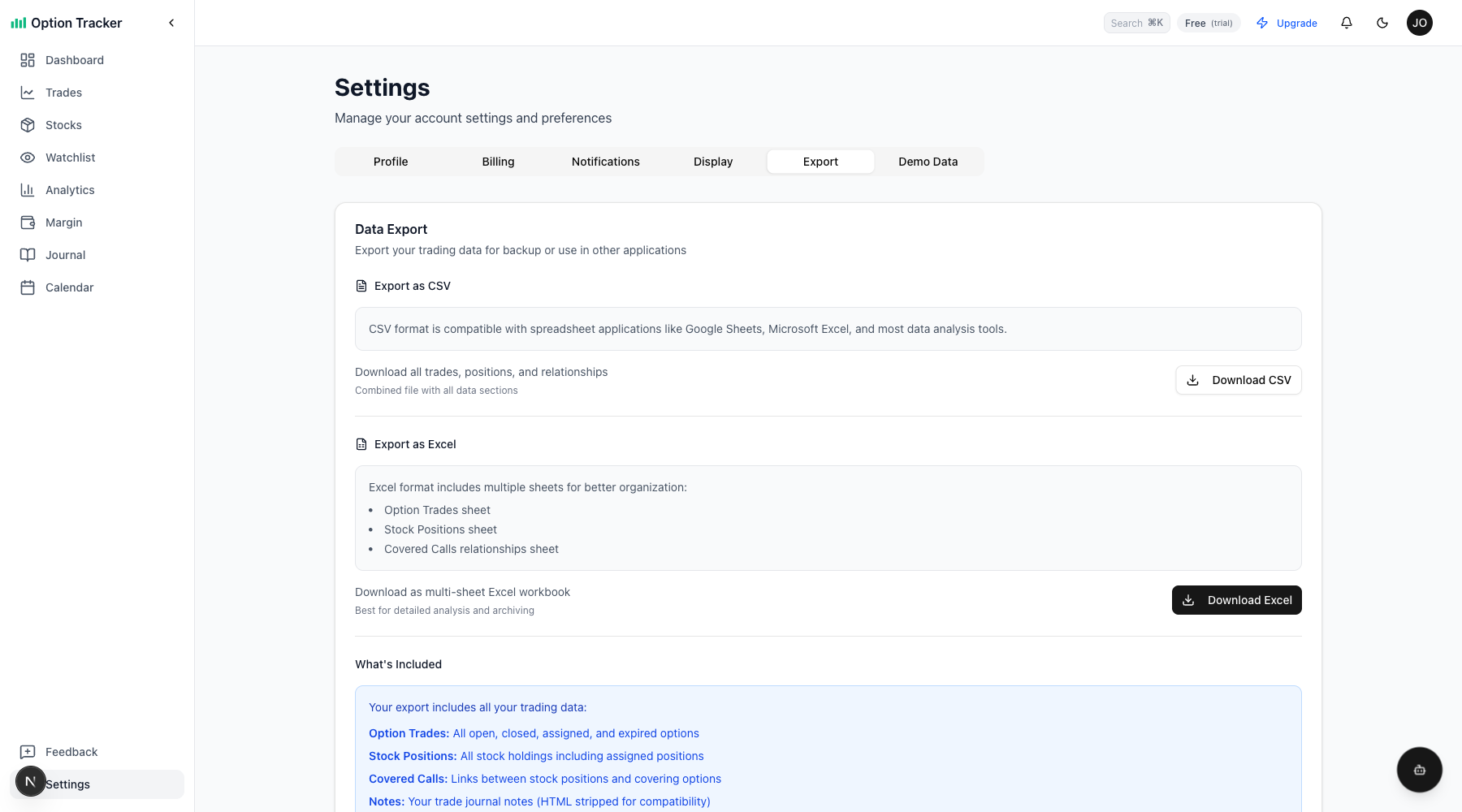
Navigate to Settings and click the Export tab to access the data export options.
Export Formats
CSV Export
The CSV format creates a single file with all your data organized into sections:
- Option Trades - All your options trades with complete details
- Stock Positions - All stock holdings including assigned positions
- Covered Calls - Relationships between stock positions and covering options
CSV files are compatible with:
- Google Sheets
- Microsoft Excel
- LibreOffice Calc
- Most data analysis tools (Python, R, etc.)
Excel Export
The Excel format (.xlsx) creates a workbook with multiple sheets for better organization:
| Sheet | Contents | |-------|----------| | Option Trades | All option trades with complete details | | Stock Positions | All stock holdings and assigned positions | | Covered Calls | Junction records linking positions to covering calls |
Excel format is ideal for:
- Detailed analysis with formulas
- Creating pivot tables
- Long-term archiving
- Sharing with accountants or advisors
What's Included
Your export includes all your real trading data:
- Option Trades: Ticker, type (CALL/PUT), action (BUY/SELL), strike, expiration, contracts, premium, fees, status, P&L, notes, and tags
- Stock Positions: Ticker, shares, cost basis, assignment date, status, P&L, and notes
- Covered Calls: Links between your stock positions and the covered call trades
Data Exclusions
- Sample/demo data is excluded - Only your real trades are exported
- Rich text formatting is stripped - Notes are exported as plain text for compatibility
- System fields excluded - Internal IDs and timestamps are simplified
How to Export
- Go to Settings in the sidebar
- Click the Export tab
- Choose your format:
- Click Download CSV for a single combined file
- Click Download Excel for a multi-sheet workbook
- The file downloads automatically with a timestamped filename
File Naming
Exported files are named with the current date:
- CSV:
optiontracker-export-2026-01-07.csv - Excel:
optiontracker-export-2026-01-07.xlsx
Use Cases
Backup Your Data
Regularly export your data to maintain a personal backup of all your trading history.
Tax Preparation
Export your trades at year-end to share with your accountant or import into tax software. The export includes:
- Realized P&L per trade
- Cost basis information
- Open and close dates
External Analysis
Import your exported data into tools like:
- Excel for pivot table analysis
- Python/Pandas for statistical analysis
- Google Sheets for cloud-based tracking
Migration
If you need to move your data to another platform, the export provides a complete record of all your trades and positions.
Tips
- Export regularly - Create periodic backups of your trading data
- Use Excel for archiving - The multi-sheet format preserves relationships between data
- Use CSV for analysis - Simpler format works better with programming tools
- Check your export - Open the file to verify all expected data is included