Feedback & Feature Requests
Help shape the future of Option Tracker. Submit feedback, request features, report bugs, and vote on ideas from other traders. Your input drives our roadmap.
Option Tracker is constantly evolving based on user feedback. We read every submission and use your input to prioritize new features and improvements.
Submitting Feedback
Opening the Feedback Dialog
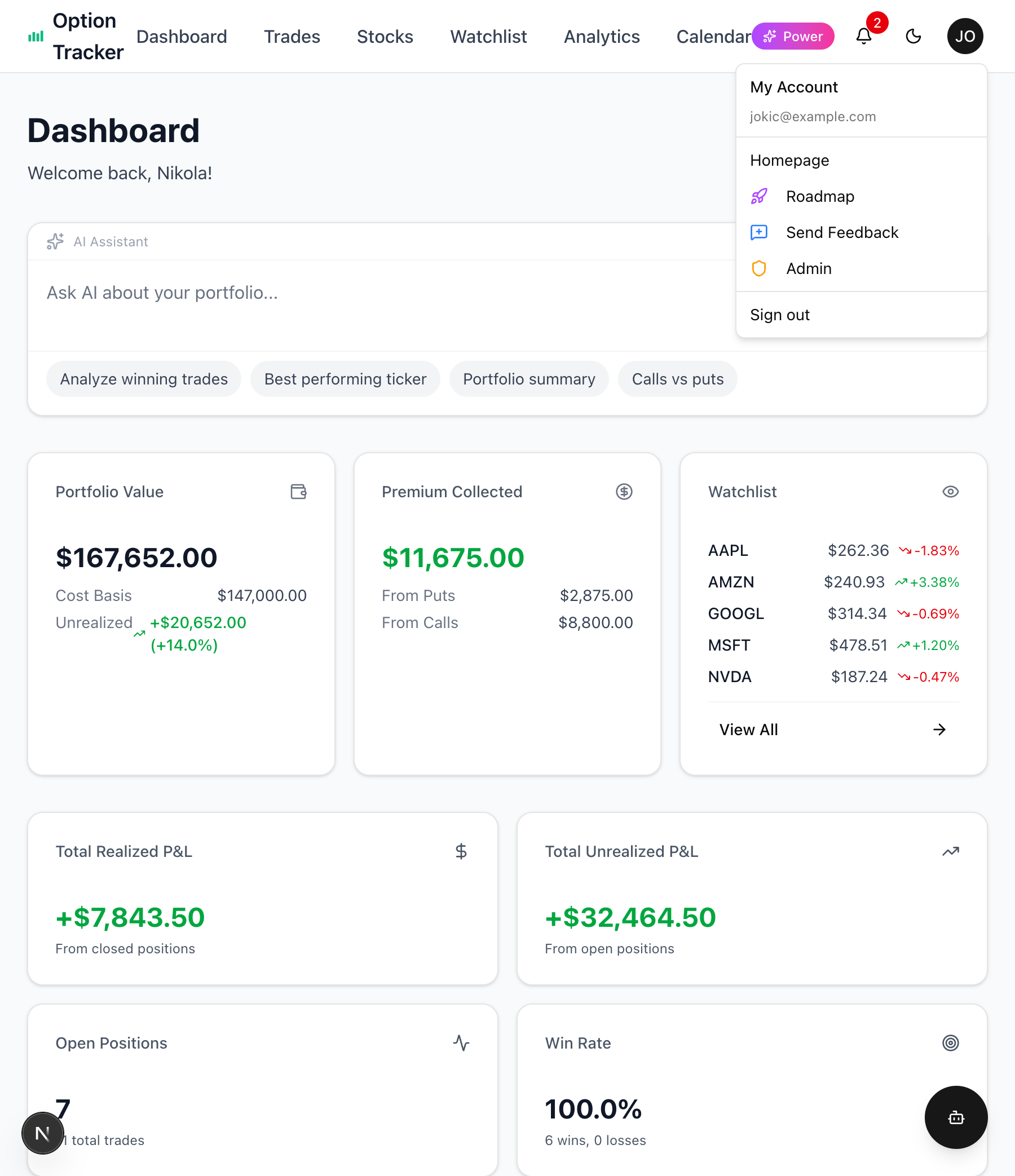
Access the feedback form from anywhere in the app:
- Click your avatar in the top-right corner
- Select "Send Feedback" from the dropdown menu
Feedback Types
Choose the type that best describes your submission:
- Feature Request - Suggest new functionality or improvements
- Bug Report - Report something that's not working correctly
- General Feedback - Share thoughts, praise, or other comments
Writing Your Feedback
Enter your feedback in the text area. You can be brief - even a few words help us understand what you need.
Examples:
- "Export to Excel"
- "Dark mode toggle in the header"
- "Charts not loading on mobile"
AI Expand Feature
When you click "Send Feedback", you'll be prompted to enhance your submission with AI:
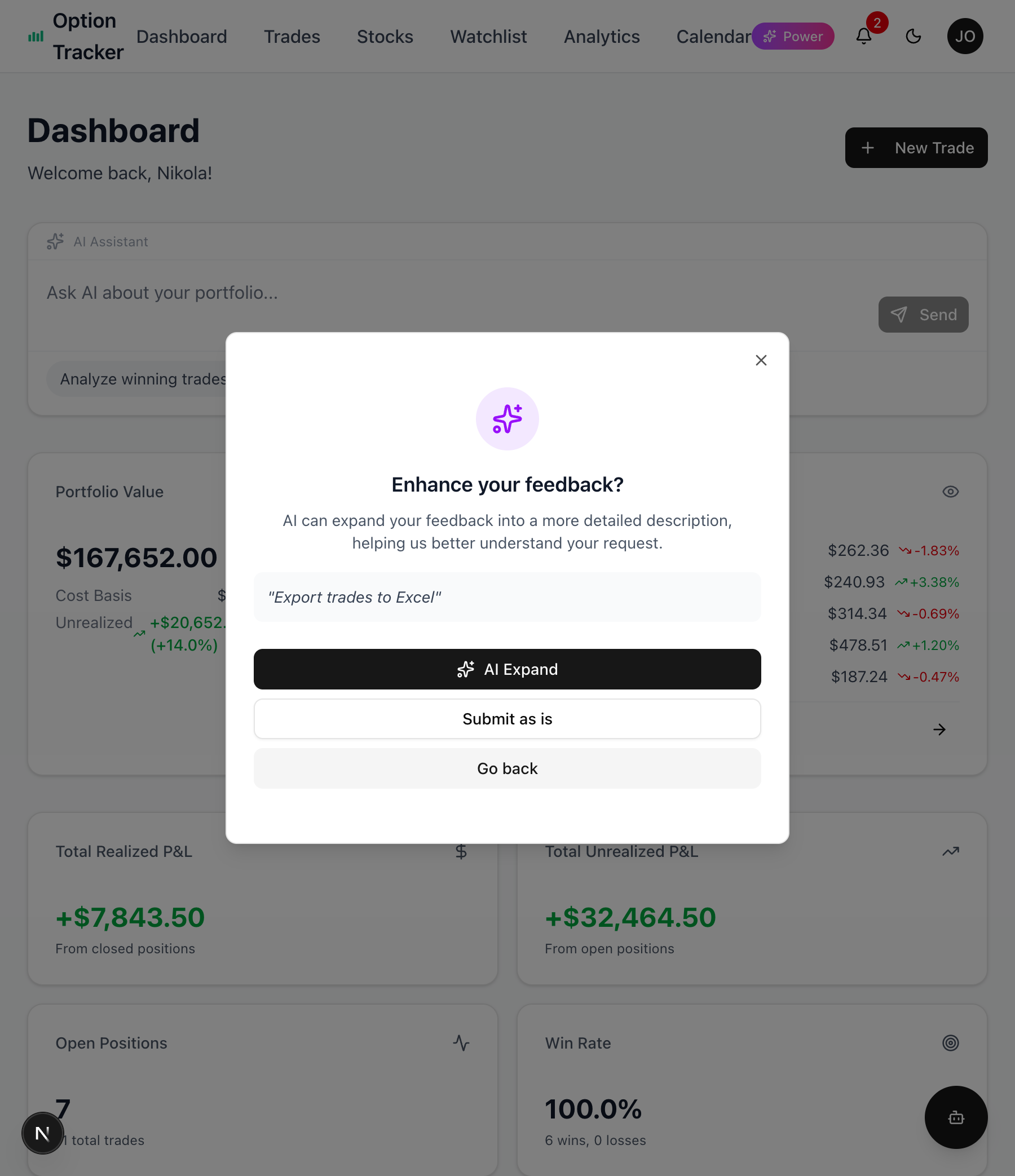
AI Expand takes your brief input and expands it into a detailed description, helping us better understand your request.
Options:
- AI Expand - Let AI elaborate on your feedback
- Submit as is - Send your original text without changes
- Go back - Return to edit your feedback
Reviewing AI-Expanded Feedback
If you choose AI Expand, you'll see a preview:
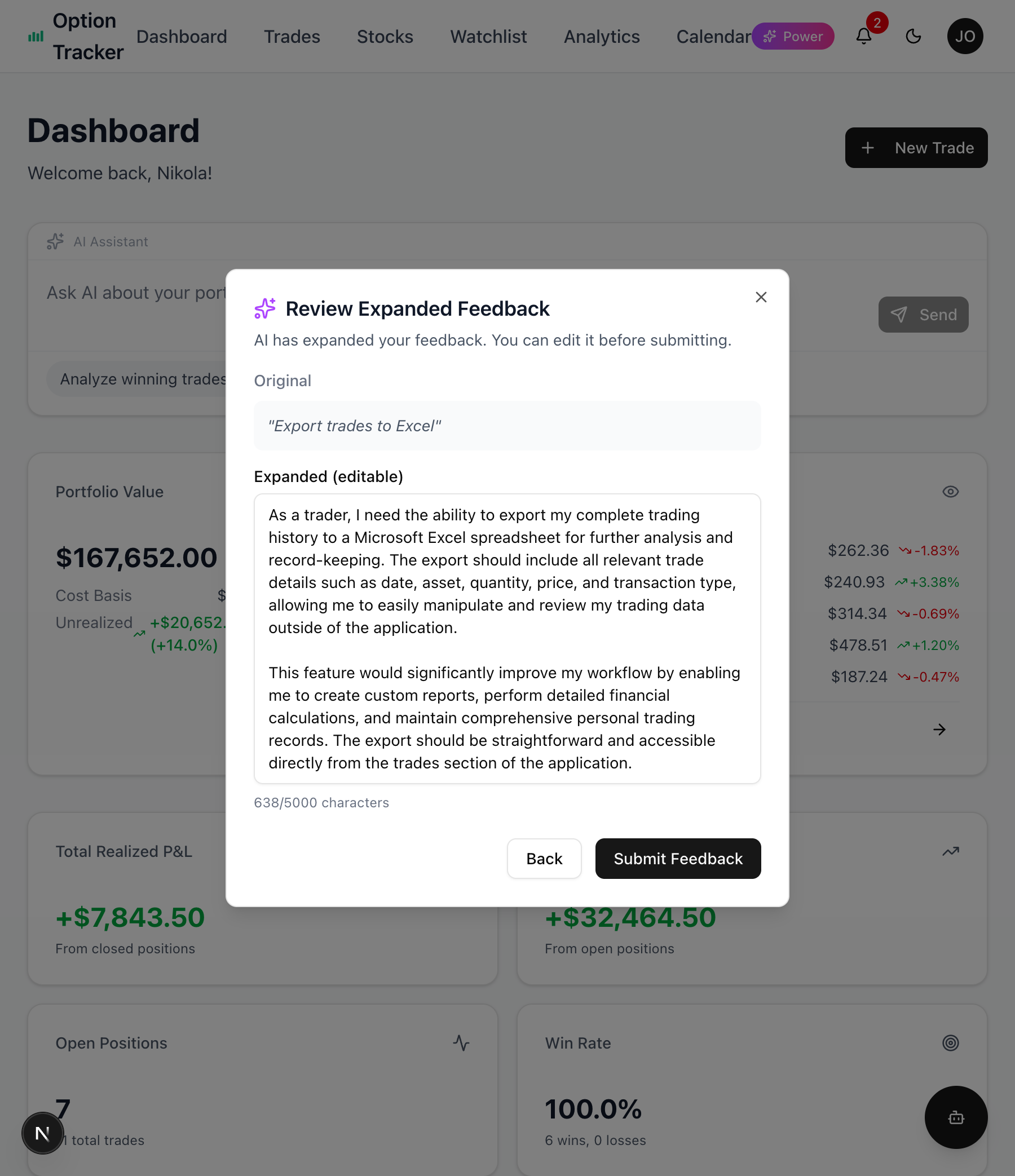
- Original - Your original input (shown for reference)
- Expanded - The AI-generated description (fully editable)
You can edit the expanded text before submitting, or click "Back" to start over.
Inline AI Expand
You can also expand your feedback before submitting by clicking the "AI Expand" button next to the text area. This immediately expands your text without showing the prompt.
What Happens Next
After submitting:
- Confirmation - You'll see a success message
- Review - Our team reviews all submissions
- Prioritization - Popular requests get prioritized
- Updates - Check our Roadmap to see feature status
Tracking Your Requests
Visit our Roadmap page to:
- See what's currently being built
- View upcoming features
- Check recently completed improvements
- Submit additional feedback
Tips for Effective Feedback
For Feature Requests
- Be specific - "Add CSV export for trades" is better than "better exports"
- Explain the why - What problem does this solve for you?
- Include use cases - How would you use this feature?
For Bug Reports
- Describe the issue - What happened vs. what you expected
- Steps to reproduce - How can we see the bug?
- Browser/device info - Helps us debug faster
- Screenshots - Visual evidence is helpful
For General Feedback
- Be honest - Constructive criticism helps us improve
- Share context - Are you a new user or experienced trader?
- Mention comparisons - "Like feature X in app Y" helps us understand
Alternative Ways to Reach Us
- Email - support@optiontracker.app
- Roadmap Page - Submit directly at /roadmap
- Documentation - Find answers in our docs
We Value Your Input
Every piece of feedback helps shape Option Tracker's future. Whether it's a small UI tweak or a major feature idea, we want to hear from you.
Thank you for helping us build a better options tracking experience!